
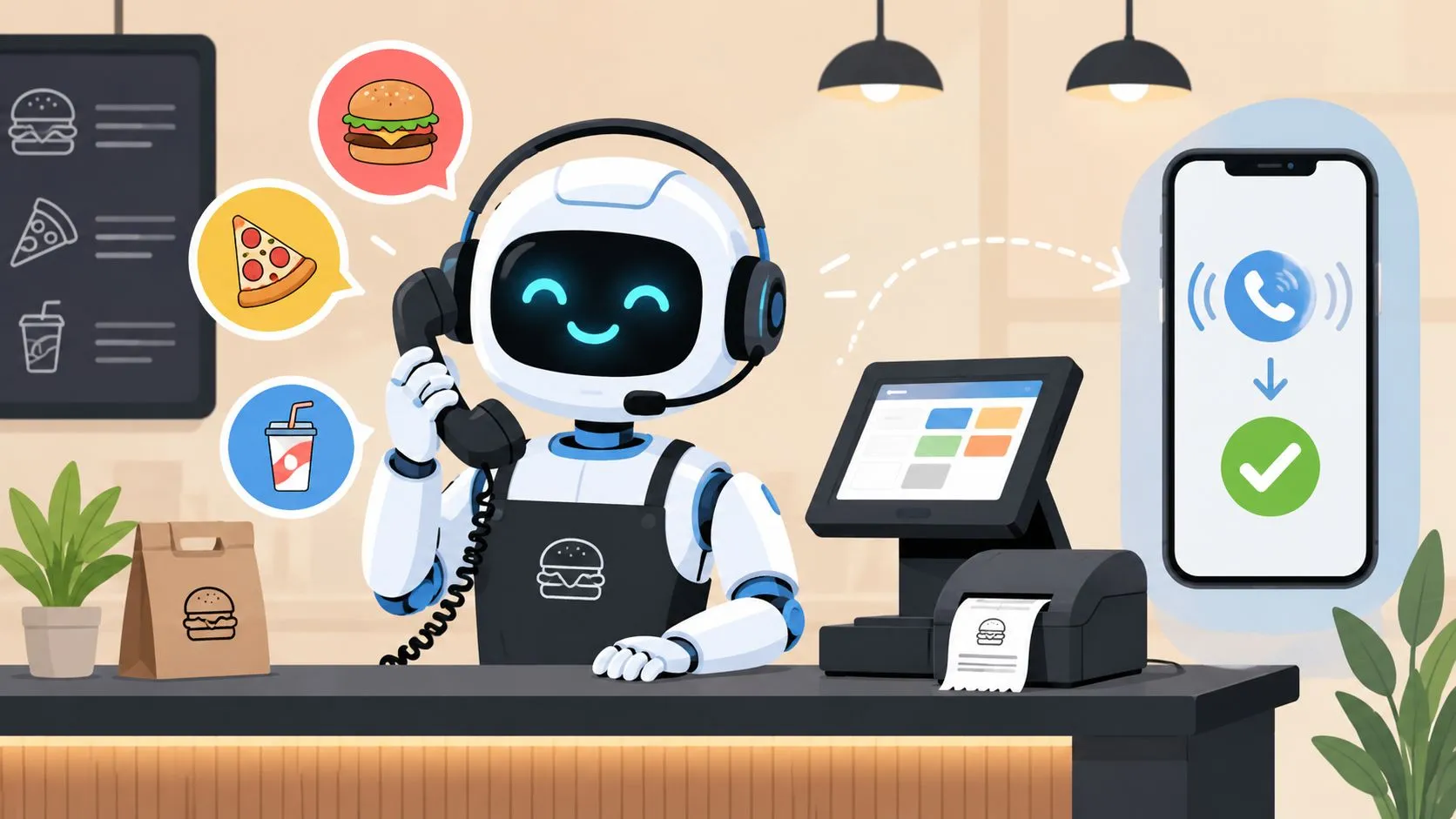
An AI phone answering system for restaurants is an automated service that uses artificial intelligence to answer 100% of your calls, take customer orders, and send them directly to your POS system without any staff involvement. Restaurants also lose an average of 23% of potential phone orders when calls go unanswered, sit on hold, or hit busy signals.
That second number is why this topic matters. The phone itself isn’t the problem. The problem is what happens after the call is answered. If the order still has to be re-entered by hand, clarified at the expo line, or corrected after the kitchen starts cooking, the restaurant hasn’t fixed the workflow. It has only moved the bottleneck.
For operators using Clover or Square, the success factor isn’t just the voice layer. It’s the POS connection behind it. The winning setup takes the call, structures the order correctly, and drops it into the same system your team already trusts for in-house and marketplace traffic. That’s the difference between a helpful assistant and another source of friction.
What Is an AI Phone Answering System
An AI phone answering system for restaurants is a service that picks up inbound calls, understands what the guest wants, and turns that request into an action such as a takeout order, reservation, or answer to a menu question. In practice, the valuable version is not just “AI that talks.” It’s AI that passes clean data into operations.
According to ActiveMenus’ write-up on restaurant phone ordering, restaurants lose an average of 23% of potential phone orders because of busy signals, long hold times, and staff getting overwhelmed. That’s not a marketing problem. That’s a workflow problem.
The real job isn’t answering the phone
A lot of products frame this as a front-of-house convenience tool. That’s too narrow. The call only matters if the order lands in the POS with the right items, modifiers, timing, and handoff to the kitchen.
If your hostess still has to scribble details on paper, repeat the order to a cashier, or fix modifiers after the fact, you haven’t automated the expensive part. You’ve only automated the greeting.
Practical rule: If a phone AI can’t send a usable order into the POS, it behaves more like voicemail with extra steps.
This is why operators should think about AI phone ordering the same way they think about delivery integration. Uber Eats, DoorDash, and Grubhub already taught the industry a hard lesson. Orders need one operational source of truth. For most restaurants, that’s the POS.
Where this fits in a modern stack
The clearest use case is a restaurant that already handles digital volume and wants phone orders to follow the same path as marketplace traffic. A guest calls. The AI answers. The order is captured. The POS receives it as a standard ticket. The kitchen works from one queue instead of juggling disconnected inputs.
For a broader look at how AI is changing guest-facing operations beyond restaurants, this guide to AI for venue event teams is useful because it shows the same principle in another hospitality setting: automation only works when it connects cleanly to the underlying workflow.
Restaurants already evaluating automation more broadly can also compare this with OrderOut’s own coverage of cutting-edge restaurant technologies. The takeaway is simple. Voice automation matters, but integration matters more.
How AI Phone Ordering Integrates with Your POS
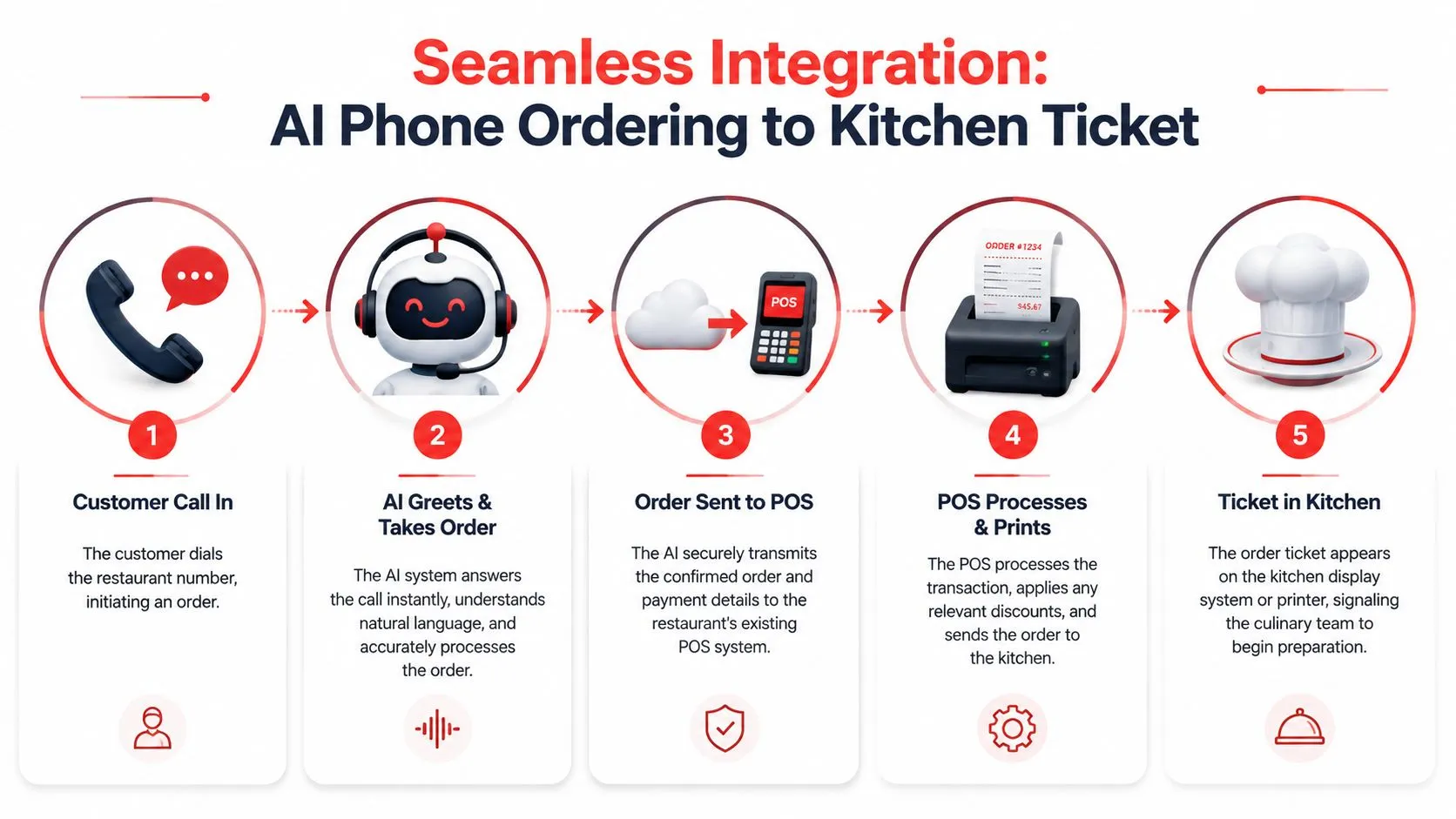
The plain-English version is simple. A caller speaks naturally, the system understands the order, and the order appears in Clover or Square the way a digital order should. No one has to grab the handset, repeat modifiers, or key everything in while guests are waiting at the counter.
What the customer experiences
From the guest side, it should feel straightforward:
- They call the restaurant.
- The AI answers immediately.
- The AI confirms items, modifiers, and pickup details.
- The order is finalized and sent into the POS.
- The kitchen gets a normal ticket.
That last step is the one owners should care about most. Kitchen staff shouldn’t have to learn a parallel process for phone orders.
What the system is doing in the background
Technically, an AI phone answering system uses Natural Language Processing to map open-ended speech into restaurant tasks. Verified implementation guidance shows these systems are trained on hospitality intent classes and can map unstructured audio into discrete tasks with 99% accuracy. That direct POS integration is what reduces labor costs and removes order errors caused by manual transcription.
Here’s the practical translation. The AI isn’t just hearing words. It’s deciding whether “I’d like two burgers, one with no onions” means a pickup order, a modifier, a special instruction, or a question. Then it sends structured order data into the POS so the restaurant doesn’t have to translate the conversation by hand.
When phone AI works well, the kitchen never feels the technology. It just gets a clean ticket.
Why standalone answering tools fall short
A standalone answering service can still leave you with the worst part of the process. Someone has to re-enter the order. Someone has to interpret unclear notes. Someone has to catch missing modifiers before food gets made wrong.
That’s why operators should separate “call handling” from “order injection.” The first is helpful. The second is where labor and error reduction happen.
This becomes obvious in restaurants that already manage marketplace traffic. If Uber Eats and DoorDash orders flow into the POS, owners already know the operational benefit of one queue and one source of truth. The same principle applies to phone orders. For a closer look at that workflow logic, see this post on restaurant order entry automation.
If you’re comparing vendors, ask to see a live example in Clover or Square, not just a voice demo. “It can take calls” isn’t enough. It has to create a ticket your team can trust.
Core Benefits for Your Restaurant Operations
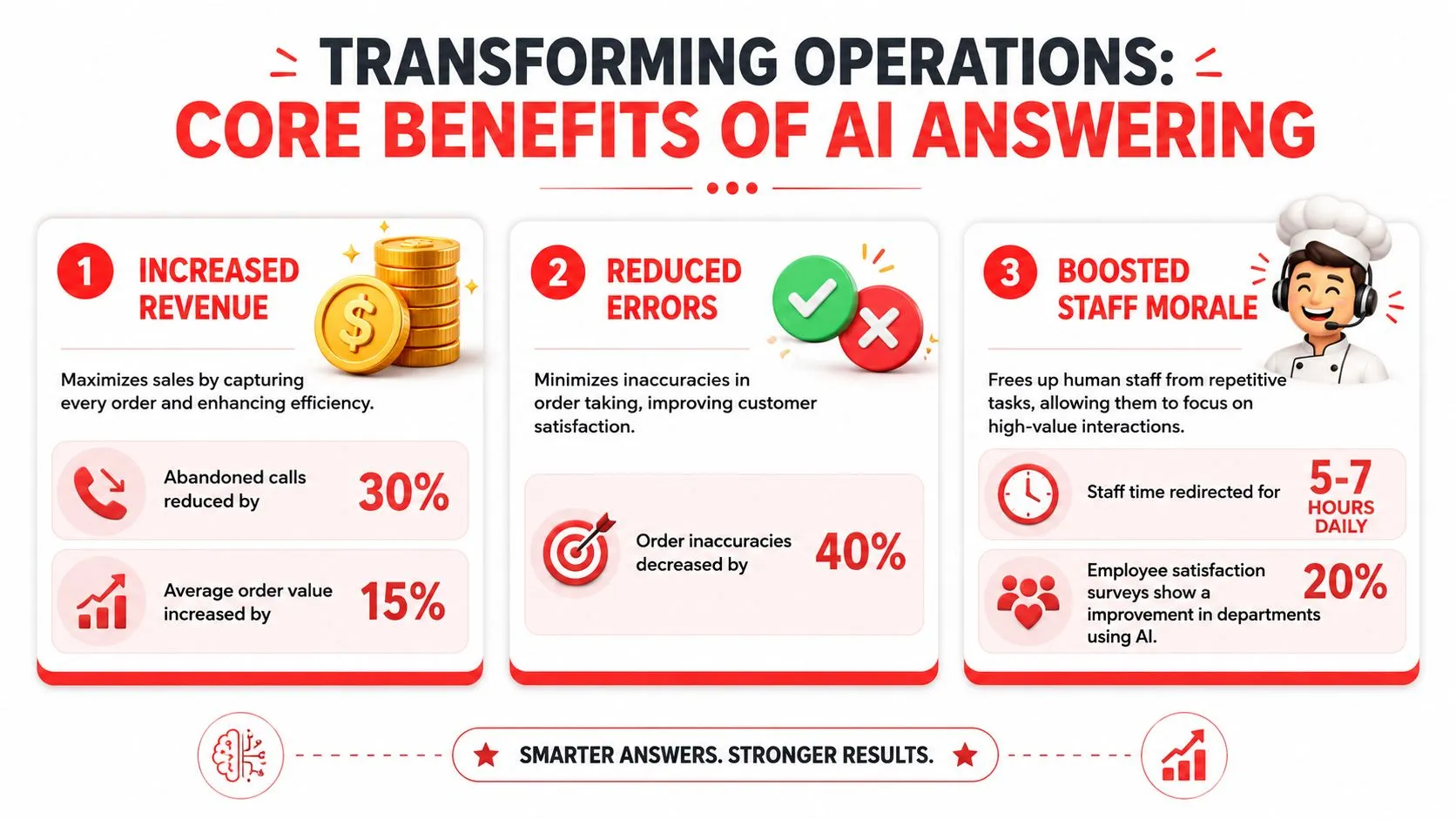
The restaurants that get the most value from phone AI usually see the same result first: fewer orders stuck in voicemail and fewer staff interruptions during service. However, the most significant benefit comes from what happens after the call. If the order reaches Clover or Square correctly, the kitchen works from a clean ticket and the front counter avoids another manual task.
Revenue recovery starts with fewer missed ordering moments
Every unanswered call is a customer ready to buy who may end up ordering somewhere else. That loss is highest during rush periods, when staff are busiest and least able to pick up the phone.
AI helps by covering overflow, handling after-hours calls, and keeping basic order traffic moving even when the host stand is backed up. For many operators, that alone justifies a closer look. But call coverage by itself is not enough. A call that ends in a handwritten note or a callback queue still creates labor on the back end.
POS-connected orders reduce rework and kitchen mistakes
This is the point many vendors gloss over. The gain is not just that the phone gets answered. The gain is that the order enters the same operating system your team already uses.
When phone orders drop directly into Clover or Square, staff do not have to stop what they are doing, repeat items back from memory, or key in modifiers while a line forms at the counter. That cuts two expensive problems at once. It lowers labor spent on order entry, and it lowers the odds of the kitchen making food from incomplete notes.
Restaurants already understand this logic from third-party delivery. Orders work better when they enter one queue and one source of truth. Phone ordering should follow the same rule. If you are looking at the larger operating model, this guide to restaurant automation systems and workflows gives useful context.
Front-of-house staff stay focused on guests in the building
A busy dining room falls apart in small ways first. The host pauses a greeting to answer the phone. A cashier stops mid-transaction to take a pickup order. A manager gets pulled in to clarify a modifier because the note is vague.
Phone AI takes a lot of that routine traffic off the floor. It can handle common questions, capture standard pickup orders, and pass unusual situations to a human. The trade-off is simple. The better the POS integration and menu mapping, the fewer exceptions your staff has to clean up later.
Good phone automation protects service standards by keeping staff attention on guests, expo, and the line instead of constant call interruptions.
One option in this category is OrderOut’s AI phone ordering, which focuses on sending phone orders into the POS instead of leaving the restaurant with another transcription step.
If you are comparing vendors beyond restaurant-specific tools, MakeAutomation for AI agents is a useful market scan. For restaurant operators, I would still bring the evaluation back to one question: does the system create an accurate ticket in the POS your kitchen already trusts?
Key Features to Look For in an AI System
Most demos make every system look similar. They all answer quickly. They all sound polished. They all promise fewer missed calls. The difference shows up in service, when the menu is messy, the caller changes the order halfway through, and the kitchen is already buried.
Start with menu awareness
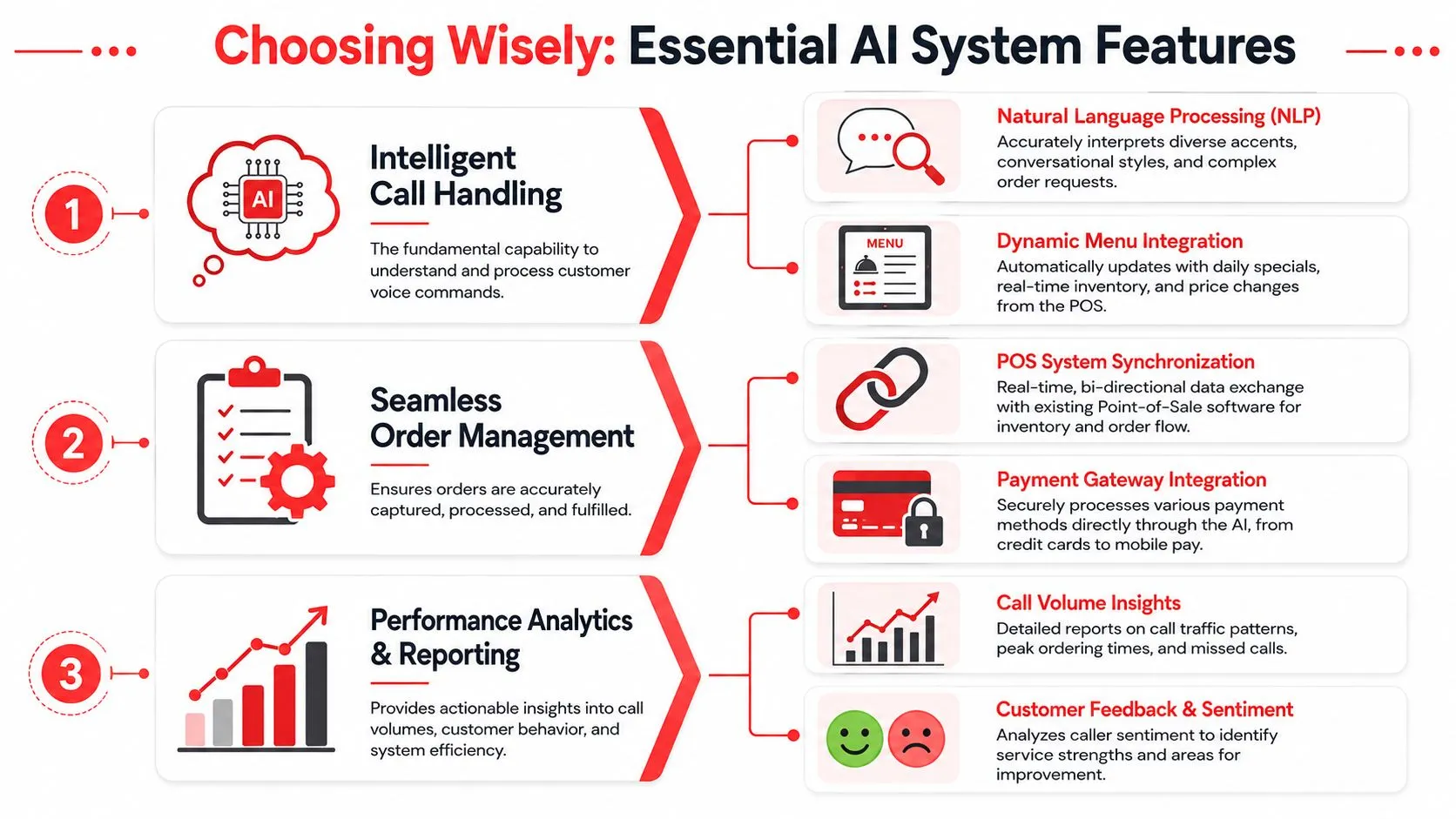
An effective AI system relies on a dynamic knowledge base populated with real-time menu data. In plain language, that means the AI needs to know what you sell right now, what modifiers are valid, what’s unavailable, and how items are named in the POS.
Many deployments frequently encounter a breaking point. The AI may sound good on the phone, but if the menu logic is stale or inconsistent, the order entering the POS won’t match what the kitchen expects.
Look for these basics:
- Real menu sync: The system should reflect pricing, availability, and modifiers as they exist in the POS.
- Clear item mapping: “Large pepperoni” and “Pep pizza lg” can’t become two different products depending on channel.
- Allergen and common question handling: The AI should answer routine menu questions without inventing information.
Make human handoff non-negotiable
The same verified guidance also says the system needs a human-handoff protocol so complex requests can escalate to live staff. That’s not a backup feature. It’s core operating logic.
Catering, private dining, unusual allergy situations, and VIP requests shouldn’t be forced through a rigid script. Good automation knows where it stops.
If a vendor talks only about automation rate and not about escalation rules, that’s a warning sign.
Prioritize POS synchronization over voice polish
This is the main buying rule. Voice quality matters, but POS synchronization matters more. Restaurants don’t get paid for smooth conversations. They get paid for correct orders executed by the kitchen without rework.
When evaluating systems, ask these questions:
| What to ask | Why it matters |
|---|---|
| Does it write orders directly into Clover or Square? | This determines whether staff still have to re-key tickets |
| How are modifiers mapped? | Modifier mistakes create kitchen confusion fast |
| What happens if a caller changes an item at the end? | Late-call changes are common in real service |
| Can it work alongside Uber Eats, DoorDash, and Grubhub order flow? | Your kitchen needs one dependable process |
| How does it escalate complex calls? | Not every guest request should stay inside automation |
For owners who want a broader survey of vendors and categories before narrowing the field, this MakeAutomation guide to AI agents is a useful comparison point. Use it as a market scan, then bring the conversation back to restaurant-specific integration details.
Operationally, this all connects to a larger question of how orders move through the store. If you’re tightening that process end to end, this article on the restaurant order management system is worth reviewing alongside phone AI.
Calculating the ROI of AI Phone Answering
You don’t need a complicated spreadsheet to judge whether an AI phone answering system for restaurants is worth it. Start with your own store data and separate ROI into two buckets: recovered demand and saved labor attention.
Measure the revenue side first
Begin with calls you currently miss, defer, or handle poorly during rush periods. Then look at the calls that come in after hours, before open, or while the host stand is overloaded. Those calls are the cleanest place to measure recovered demand because they often represent orders or reservations that would’ve gone nowhere.
Per Slang’s restaurant AI data, restaurants implementing AI phone ordering report an average 50% increase in phone-based reservations and 96% guest satisfaction scores tied to instant confirmations and menu-question handling. That doesn’t mean every restaurant will get the same outcome. It does mean the upside is not limited to takeout. Reservations and guest confidence matter too.
Then account for labor and disruption
The labor savings here aren’t just payroll math. The more important gain is fewer interruptions during service. If your host, cashier, or manager is constantly pulled into repetitive phone interactions, the dining room and pickup flow both suffer.
Use a simple checklist:
- Count missed or abandoned call windows: Look at rush periods, not just the full day.
- Track how often staff re-enter phone orders: This is hidden labor.
- Review corrected tickets: If the kitchen or cashier regularly fixes phone orders, that’s operational waste.
- Compare reservation handling before and after: Phone AI often affects table management as much as takeout.
What owners usually miss
Operators often underestimate the value of consistency. A connected system doesn’t call out sick, doesn’t forget hours, and doesn’t give three different answers to the same question depending on who grabbed the phone.
That consistency shows up in guest experience even before you attach a number to it.
If you’re pricing options, it’s also worth reviewing OrderOut pricing for restaurant integrations so the cost side is clear before you model the return. Keep the ROI exercise grounded in your own call patterns, your own check mix, and your own staffing pressure.
Implementation Guide and Common Pitfalls
A good rollout protects the line first. If phone AI creates extra ticket cleanup, forces staff to check a second screen, or sends unclear modifiers into Clover or Square, it adds work instead of removing it. The win comes from getting the order into the POS correctly on day one, then widening coverage after the kitchen trusts what it sees.
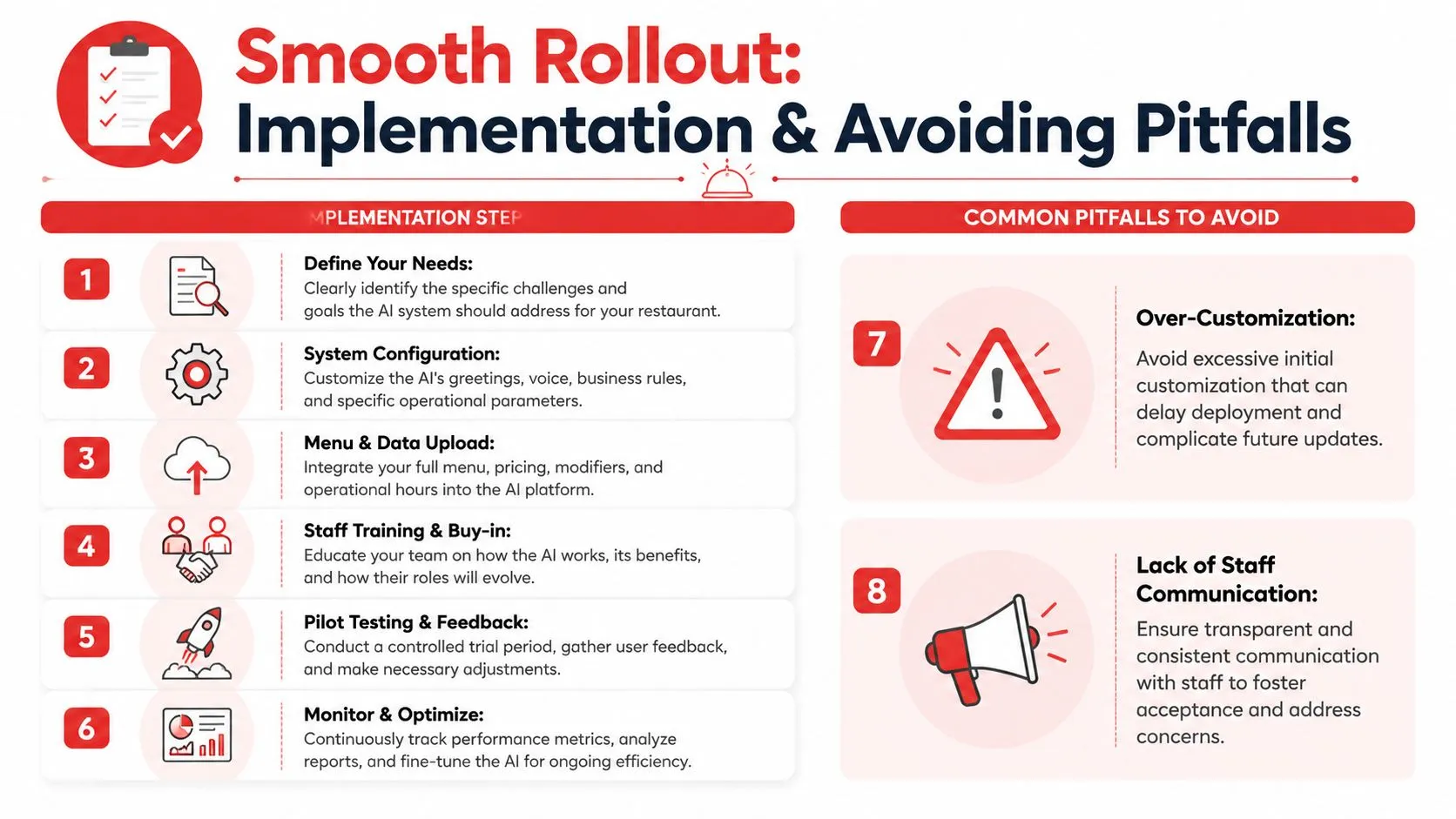
A practical rollout sequence
Start with the POS, not the script.
- Clean the menu in Clover or Square. Standardize item names, modifier groups, sizes, and combo logic before the first test call.
- Map every phone order path to the live POS menu. Focus on pizzas, half-and-half items, family meals, add-ons, and anything with nested modifiers.
- Set clear handoff rules. Route catering, allergy questions, payment issues, and unusual substitutions to staff.
- Run test calls with real ordering behavior. Use rushed speech, slang, incomplete orders, and modifier-heavy tickets.
- Pilot in slower dayparts first. Lunch lulls or mid-afternoon are better than Friday dinner.
- Review tickets with the kitchen every day. Cooks and expo will catch bad mappings, missing modifiers, and confusing print formats faster than management reports will.
The strongest implementations keep one source of truth. The AI should inject orders into the POS your team already uses, not create a parallel workflow your cashier has to re-enter by hand.
The mistakes that create kitchen friction
The biggest failure point is weak POS integration. Plenty of systems can answer a phone. Far fewer can turn a spoken order into a clean Clover or Square ticket with the right modifiers, routing, and prep details. That difference is what saves labor.
Poor menu hygiene is the next problem. If your POS menu has duplicate items, unclear modifier names, or channel-specific workarounds, the AI will expose those issues fast. Fixing the menu usually improves more than phone ordering. It also makes online and third-party ordering easier to manage.
Another common mistake is spending too much time on voice personality before the ticket format is reliable. Owners ask about tone, greetings, and branding. The kitchen cares whether “no onion, extra pickles, ranch on the side” lands in the right place on the printed ticket. Start there.
Get the POS mapping right first. Better call handling follows. Bad ticket structure does not.
If your team wants a step-by-step view of setup and testing, review this OrderOut integration onboarding tutorial.
Operators comparing vendors can also look at how an AI automation agency evaluates deployment and workflow design. Use that outside perspective carefully. The deciding question is still simple: does the system place accurate orders into your POS without creating extra work for the front counter or the line?
Square users can start from the OrderOut app in the Square App Marketplace.
Frequently Asked Questions
Does an AI phone answering system work with Clover and Square?
Yes, that’s the setup operators should look for. The useful version of AI phone ordering doesn’t just answer the call. It sends the finished order into Clover or Square so the POS remains the source of truth for the kitchen and front counter.
Do I need extra tablets for AI phone ordering?
No. The cleaner workflow is the same one restaurants already prefer for digital channels: orders go into the POS directly instead of living on a separate screen. That’s what prevents phone automation from becoming another disconnected device your staff has to monitor.
Can AI handle complex orders and special requests?
It can handle routine ordering well when the menu and modifier structure are clean, but complex requests should escalate to a person. That’s why a human-handoff rule matters. Catering, unusual substitutions, and high-touch guest requests still need live staff at the right moment.
Is OrderOut free on Clover?
Yes. OrderOut is free to install on the Clover App Market. That’s useful for operators who want to evaluate the integration path without turning setup into a capital project.
Where can I learn more before choosing a vendor?
If you want outside perspective on AI operations and agency-led deployments, this AI automation agency is one more resource to review. Then bring the evaluation back to the practical questions: does it map to your POS cleanly, does it handle your menu correctly, and does your kitchen trust the ticket it creates.
If you want to put AI phone ordering into a real restaurant workflow instead of adding another disconnected tool, start with OrderOut and create your free onboarding account in the OrderOut dashboard. That gives you a direct path to connect the phone-order flow with your POS, clean up menu mapping, and roll out without disrupting service.