
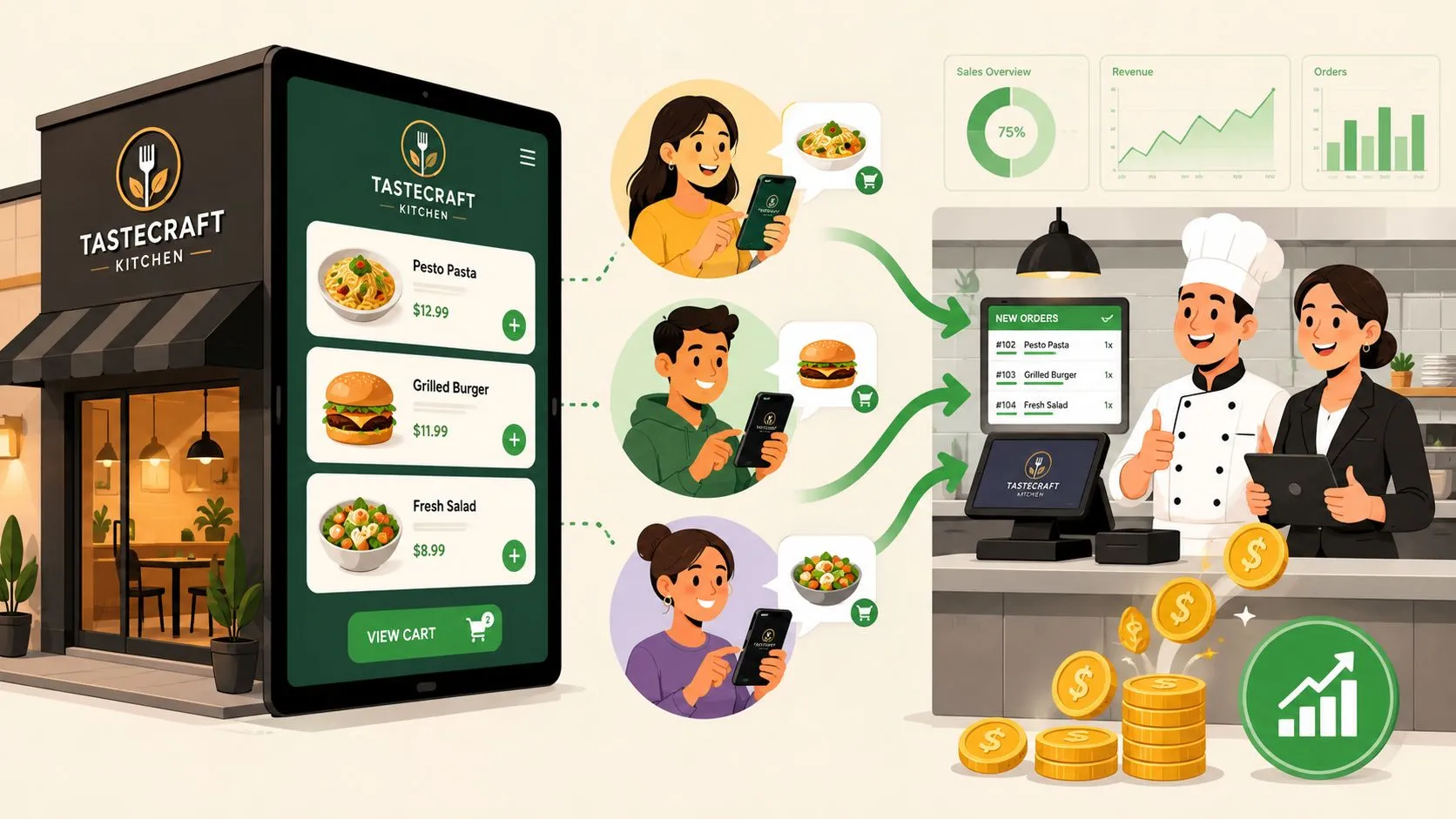
An online ordering system for restaurants is a branded, commission-free digital storefront that lets customers order directly from your website, giving you full control over your brand, customer data, and profits. Unlike third-party marketplaces like Uber Eats or DoorDash that charge high commissions and hide your customer data, a direct system puts you back in the driver’s seat. It’s your digital front door, built to create loyalty and boost your bottom line.
What Is a Restaurant Online Ordering System?
At its core, an online ordering system for restaurants is a software tool that allows you to take and manage customer orders through your own website or app, commission-free. While third-party apps offer visibility, they come at a high cost, taking a significant cut of every sale and preventing you from building relationships with your own customers. A direct online ordering system flips this model, turning your website into your most profitable sales channel.
It’s all about creating a seamless, branded experience that brings your best customers back again and again. This isn’t just about dodging fees; it’s about opening a direct line of communication with your guests, allowing you to own the entire customer journey from click to kitchen.
Why it matters: Instead of being just another restaurant in a crowded marketplace, you own the relationship. Every dollar and every piece of customer data from a direct order stays with you. This leads to smarter marketing, healthier profit margins, and a more sustainable business.
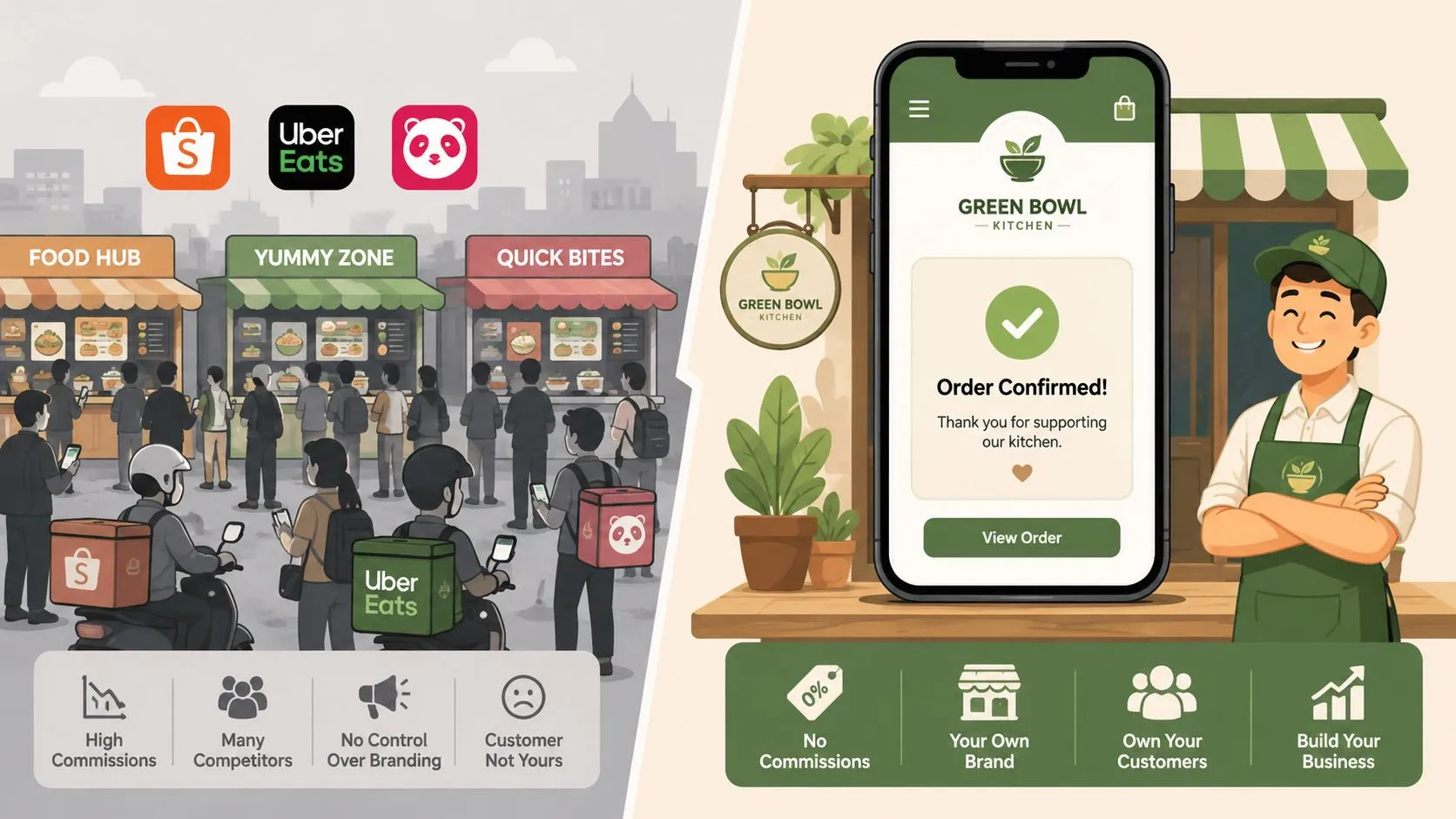
Why Ownership Matters
When you own your ordering channel, you control the most critical parts of your off-premise business—the very things third-party apps take away.
- Customer Relationships: You capture essential customer information like names, emails, and order history. This is pure gold, allowing you to run targeted promotions and loyalty programs that actually bring people back.
- Brand Experience: Your online menu, from the layout to the photos, perfectly reflects your brand’s unique identity—not some standardized, cookie-cutter template.
- Revenue Control: With commission-free online ordering for restaurants, you stop handing over a large percentage of every sale to a middleman. You keep the profits you worked so hard to earn.
But a modern online ordering system can’t be another isolated tablet screaming for attention. For it to truly work, it must plug directly into your restaurant’s operations. It needs to feed orders straight into your POS, which is why direct POS integration is a complete game-changer for restaurant efficiency.
Core Features of a Powerful Online Ordering System
A great online ordering system is more than just a digital menu with a “place order” button. The best platforms are built with operator-focused tools that streamline your daily grind, protect your margins, and keep customers happy. Think of it less as a website and more as a digital extension of your front-of-house staff—one that works tirelessly to make every transaction smoother.
The goal is to find a system that solves problems, not one that creates new headaches. It must be designed for the realities of a busy restaurant, where every second and every detail counts.
Customizable and Mobile-First Menu
Your online menu is often a customer’s first impression of your brand. It needs to look great, be easy to use on a smartphone, and put you in complete control. A powerful system lets you:
- Reflect Your Brand: Use your own logos, colors, and high-quality photos. The online experience should feel like your restaurant, not a generic third-party template.
- Update Instantly: Eighty-six a sold-out item or add a daily special in seconds, without calling a support line. This agility is crucial for managing inventory and maximizing sales.
- Optimize for Off-Premise: Showcase items that travel well and create special online-only bundles. Your online menu should be engineered for profit, not just a copy of your dine-in version.
Secure Payments and Flexible Ordering
To build customer trust and capture every sale, your system needs to handle payments securely and offer the convenience people expect. This isn’t just about taking credit cards.
Key features include accepting digital wallets like Apple Pay and Google Pay, which can dramatically speed up checkout. The system should also allow customers to schedule orders for a future pickup time—a massive win for both office lunch orders and busy families, letting you lock in revenue in advance.
Direct and Automatic POS Integration
This is the one feature you absolutely cannot live without. Without it, online ordering just adds more work and risk to your day. A system with direct POS integration automatically fires every online order straight into your kitchen’s workflow, popping up on your Clover or Square screen just like an order punched in by a server.
This automatic process eliminates the chaos of manual re-keying. It means no more staff glued to a tablet, frantically punching in orders during the dinner rush. It drastically reduces costly mistakes, ensures accurate order timing, and keeps your team focused on what they do best: cooking and serving.
Before we dive deeper, it’s helpful to see how these features stack up. Some are absolute must-haves, while others are powerful additions that can take your operations to the next level.
Essential vs. Advanced Online Ordering System Features
| Feature Category | Essential Features (Must-Haves) | Advanced Features (Nice-to-Haves) |
|---|---|---|
| Menu Management | Customizable menu with photos and descriptions. Easy item and price updates. Mobile-responsive design. | Upsell and cross-sell prompts. Timed menus (lunch, dinner). Allergen and dietary filtering. |
| Ordering & Payments | Secure credit card processing. Scheduled orders for future pickup/delivery. Order confirmation notifications. | Integrated digital wallets (Apple Pay, Google Pay). Stored payment methods for repeat customers. Group ordering functionality. |
| Operations | Direct and automatic POS integration. Order status tracking for customers. Basic sales and order reporting. | Real-time delivery driver tracking. Automated 86-ing based on POS inventory. Advanced analytics and customer data. |
| Marketing & Loyalty | Ability to capture customer email addresses. Basic discount and coupon code creation. | Built-in loyalty and rewards program. Automated email and SMS marketing campaigns. Customer review and feedback collection. |
By focusing on these core features—especially that critical POS connection—you can evaluate any online ordering system for restaurants based on how it will actually perform in the real world.
Why Direct POS Integration Is Non-Negotiable
Let’s be clear: an online ordering system that isn’t directly connected to your point-of-sale (POS) isn’t a solution. It’s just another headache. Without that connection, you’re inviting more work, more stress, and a world of costly mistakes into your restaurant. This is the reality of “tablet hell”—a counter cluttered with screens, each one demanding attention from your already stretched team.
Picture the dinner rush. An order comes in from your website. A staff member stops what they’re doing, grabs a tablet, and manually punches every single item and modifier into your Clover or Square POS. This tedious task creates a major bottleneck that slows down your entire kitchen and leaves your team scrambling.
The True Cost of Manual Entry
The problem goes beyond just being busy. Every order that has to be manually re-entered introduces real risks that chip away at your profits and reputation.
- Human Error: A misread modifier or a simple typo during re-keying means an incorrect order goes to the kitchen. The result? Wasted food, comped meals, and unhappy customers.
- Wasted Labor: Every minute your staff spends juggling tablets is a minute they aren’t taking care of guests. You’re paying for data entry, not hospitality.
- Slower Service: There’s a built-in delay between when a customer orders and when the kitchen sees it. This friction leads to longer ticket times and operational chaos.
In contrast, a system with true delivery POS integration creates a seamless, automatic workflow. An order placed on your website flows directly into your POS in seconds, printing on your kitchen printer or appearing on your KDS screen just like an order from Uber Eats or one entered by a server.
You can solve this problem today. For instance, you can install OrderOut for free directly from the Clover App Market to connect all your delivery channels.
This is how a properly integrated online ordering system for restaurants is supposed to function—from the customer’s click to the kitchen ticket, with no manual steps in between.
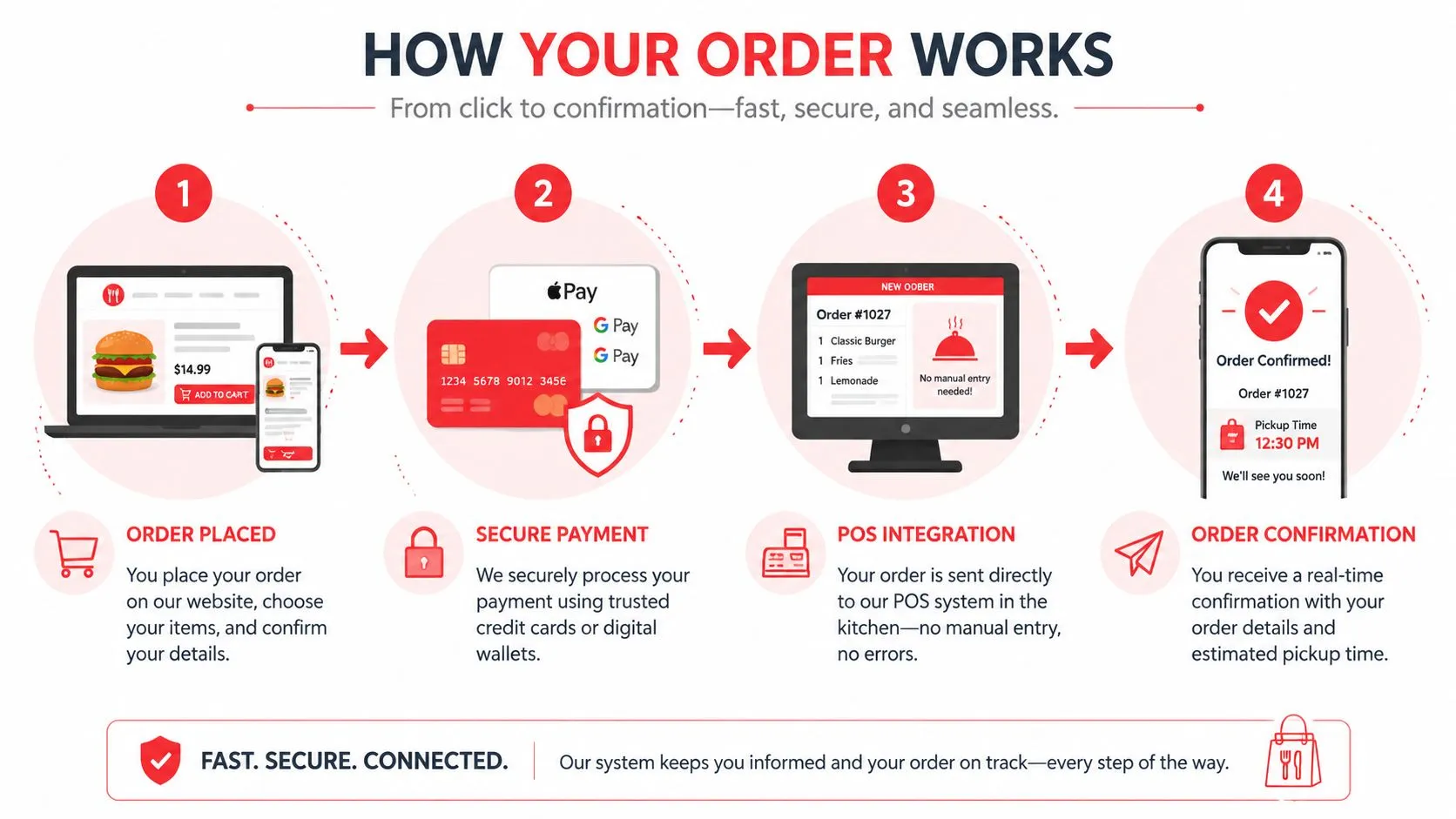
This automated process guarantees that orders are fast, accurate, and require zero hands-on effort from your team.
The Takeaway: Direct POS integration is the difference between an online ordering system that helps your business grow and one that holds it back. By automating the order flow, you eliminate human error, free up your staff, and create a calmer, more efficient kitchen.
Taking Back Control with Commission-Free Ordering
While third-party marketplaces like Uber Eats and DoorDash give you visibility, they take a massive slice of the pie. A commission-free online ordering system completely flips this script. Instead of renting customers from a marketplace, you own the entire relationship.
This means you keep 100% of the revenue from every order placed through your own website. For many restaurants, moving away from unpredictable per-order fees to a simple, flat-rate model is the single best decision for their bottom line. More importantly, it’s about taking back ownership of what really counts: your customers.
Beyond a Sale: A Customer Relationship
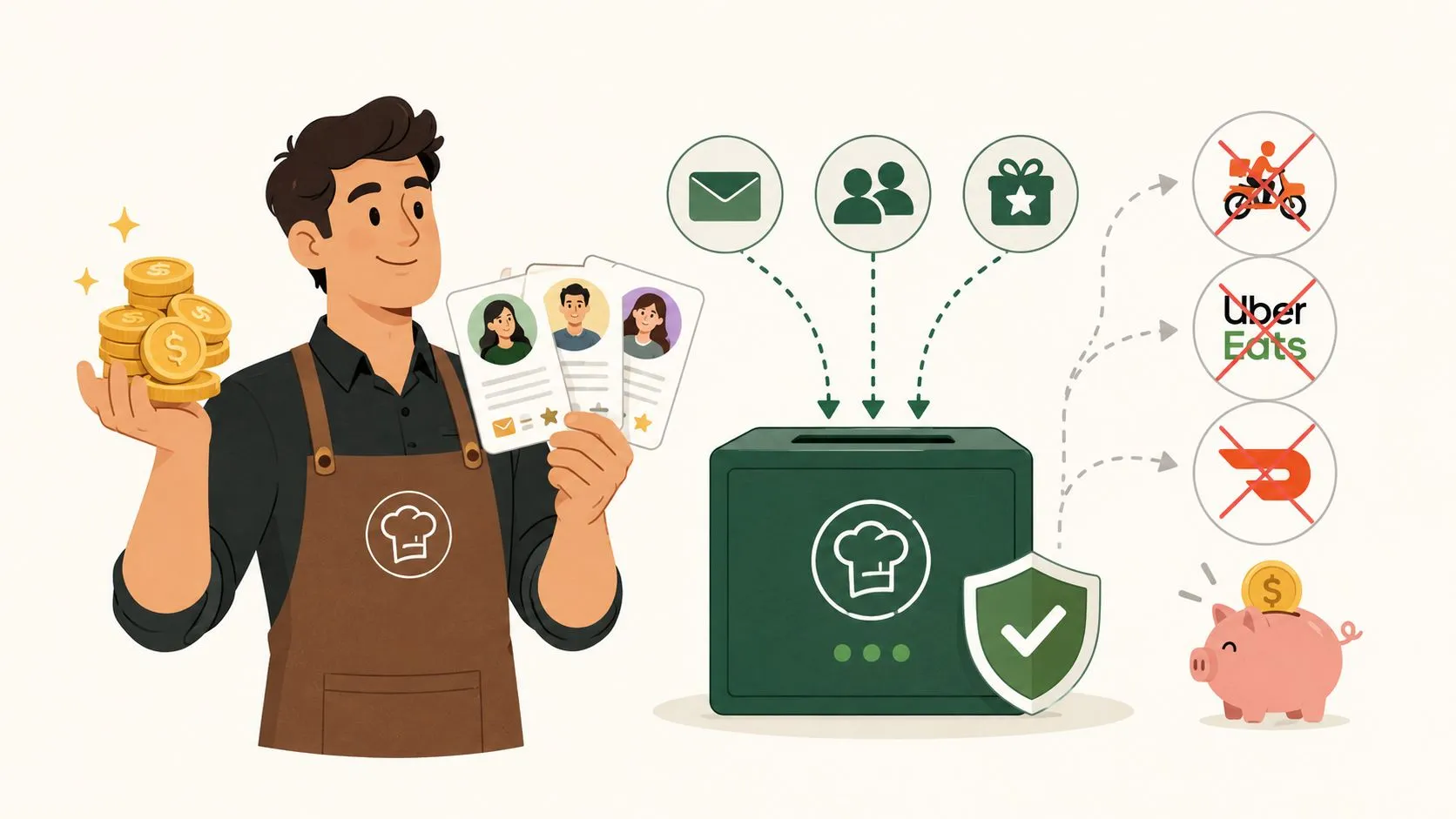
When a guest orders from your own branded site, you get their contact information and order history—data that third-party apps hoard for themselves. With this info, you can finally build marketing programs that drive repeat business.
Imagine being able to:
- Send an email about a new pasta dish to customers who have ordered pasta before.
- Offer a “we miss you” discount to loyal regulars who haven’t ordered in a while.
- Build a loyalty program that rewards guests for ordering directly from you.
These are the tools that build real connections and turn one-time buyers into regulars. It’s a direct line of communication that marketplaces are designed to block.
What Customers Actually Want
You might think customers are hooked on third-party apps, but the numbers tell a different story. According to the National Restaurant Association, a significant portion of consumers prefer to order directly from a restaurant’s own website or app. You can see more on this in the industry’s latest reports on consumer trends and behaviors.
By offering a clean, easy-to-use direct ordering option, you’re not just saving money—you’re giving your best customers exactly what they want. It’s a win-win that strengthens your finances and deepens guest loyalty.
Ultimately, offering a commission-free online ordering system is a strategic move to secure your financial future and own your customer base.
How to Launch Your Own Online Ordering System
Getting your own branded, commission-free ordering platform running isn’t the monumental task it used to be. With the right partner, you can launch quickly and start reclaiming your revenue and your direct relationship with customers. It boils down to a few key steps focused on smart integration and consistent promotion.
First, pick a system that works with what you already have. The goal is to add a revenue stream, not operational chaos. That means finding a provider that integrates directly with your existing POS, whether that’s Clover or Square.
If you’re on Clover, for instance, you can find integrated apps like OrderOut’s commission-free online ordering for restaurants directly on the Clover App Market. An integrated system means every order flies straight to your kitchen without anyone needing to punch it in manually.
Build a Menu That Sells
Once the tech is sorted, your next job is to build an online menu that drives sales. Think of it as your digital salesperson.
- Use Great Photos: People eat with their eyes. A fantastic photo can be the single thing that turns a browser into a buyer.
- Write Enticing Descriptions: Don’t just list ingredients. Use descriptive language that tells the story of the dish and makes mouths water.
- Optimize for Off-Premise: Feature your most durable items and think about creating online-exclusive combos to increase your average ticket size.
Configure and Promote Your New Channel
With your menu dialed in, you’ll set up your payment gateway to securely accept credit cards and digital wallets. Modern ordering systems make this a simple, step-by-step process.
Then, it’s all about getting the word out. Your regulars can’t order from a website they don’t know exists.
Key Takeaway: You have to actively teach your customers to use your new direct ordering channel. A simple QR code at the register or a sticker on every takeout bag is a great start to shifting behavior away from third-party apps and back to you.
Start promoting your new ordering page everywhere:
- In-store signs with a clear call-to-action and a QR code.
- Stickers on all takeout bags, boxes, and cups.
- Links in your social media bios and email signature.
By taking these practical steps, you give your restaurant a powerful tool for building a more profitable and sustainable business.
The True Impact on Your Revenue and Operations
Bringing a direct online ordering system into your restaurant isn’t just another tech expense—it fundamentally improves your bottom line and brings calm to the daily chaos. The first thing you’ll notice is the impact on your profit margins. When you shift customers to your own commission-free channel, you immediately stop giving away a large percentage of your revenue to third-party marketplaces.
That reclaimed profit is only part of the story. Digital customers, who can browse a menu at their own pace, tend to order more. They add extra toppings or desserts, leading to a higher average check size than a typical phone or walk-in order.
A Smoother, More Productive Kitchen
The financial upside is huge, but the improvements to your daily operations are where you’ll feel the difference. When your online ordering system feeds directly into your POS—the way OrderOut’s Clover delivery integration works, for example—you eliminate that frantic, error-prone scramble of manual order entry. No more staff members glued to a tablet, trying to punch in orders correctly during the dinner rush.
Instead, your team can focus on what they do best: cooking fantastic food and taking care of the customers in front of them. This shift creates a calmer, more productive kitchen where every order, whether from DoorDash, Uber Eats, or your own website, flows into one unified system.
Digital ordering has become a massive revenue source, with many restaurants seeing a significant jump in sales after getting their system in place. This growth is directly tied to the fact that online orders consistently have a higher average ticket value. For both quick-service and full-service restaurants, a huge slice of sales now comes from online, making an integrated system more critical than ever.
Frequently Asked Questions
Does an online ordering system work with third-party delivery apps?
Yes, the best systems integrate everything. An online ordering system gives you a commission-free channel you own, while a tool like OrderOut also injects orders from third-party apps like DoorDash and Uber Eats directly into your POS. This means all orders—from your own website and from the marketplaces—flow into one unified place, eliminating tablet hell and manual re-keying for good.
How do I get my customers to use my ordering site instead of Uber Eats?
You have to actively train them. Many of your regulars would love to support you directly, but they often default to the convenience of the apps on their phones. Your job is to make your direct channel the easiest, most obvious choice.
- Put QR Codes Everywhere: Print a QR code that links straight to your ordering page on receipts, to-go bags, and menus.
- Own Your Digital Real Estate: Your direct ordering link should be in your Google Business Profile and social media bios. Most importantly, it needs to be the main “Order Now” button on your website.
- Run a Direct-Only Special: Offer a small discount or an exclusive menu item that’s only available to customers who order through your site.
Will this work with my existing restaurant POS?
This is the most critical question you can ask. An ordering system that doesn’t talk to your POS isn’t a solution—it’s just another tablet creating headaches. True integration is everything. For instance, OrderOut was built to plug directly into major POS platforms like Clover and Square. When an order comes in, it should instantly appear on your POS and fire to the kitchen, just like an in-house order.
Is OrderOut free on Clover?
Yes, OrderOut is free to install from the Clover App Market. You can connect your delivery apps and get orders injected directly into your Clover POS without any upfront software cost, eliminating the need for extra tablets and manual entry.
Ready to stop juggling tablets and streamline your operations? With OrderOut, you can onboard for free and see how easy it is to manage all your orders in one place. Get started now