
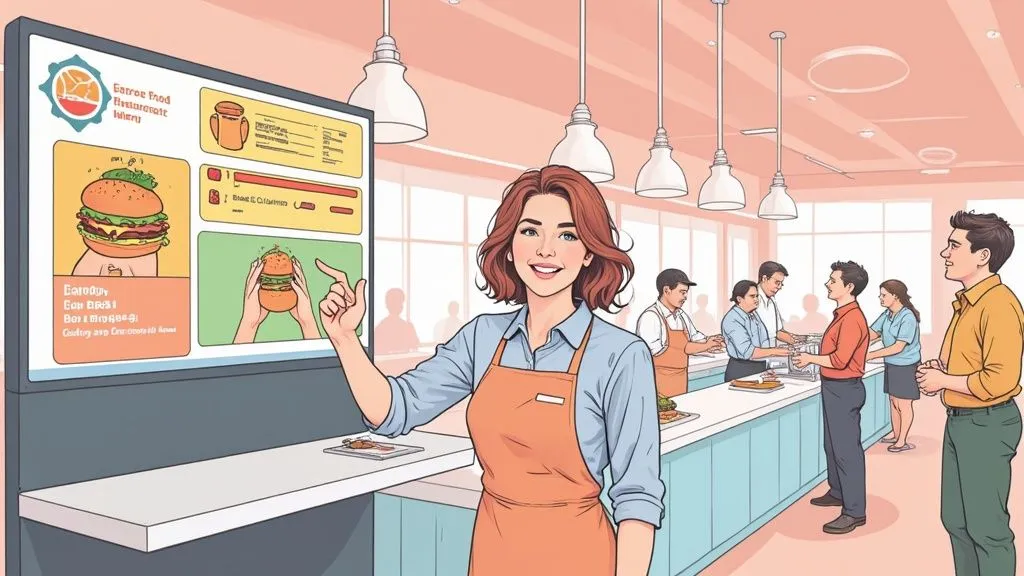
So, what exactly is a self-ordering kiosk for restaurants? In simple terms, it’s an interactive touchscreen that lets customers place their own orders. They can browse your menu, customize their food just how they like it, and pay on the spot—all without needing a cashier.
Technically, this system integrates with your restaurant’s Point of Sale (POS) and kitchen display systems (KDS). This means when a customer taps “confirm,” their order is instantly sent to the kitchen, and the payment is logged in your sales data. This direct link to your restaurant operations is why it matters: it eliminates manual entry, reducing errors and saving staff time.
Think of it as an automated front-of-house employee that streamlines your ordering process and allows your staff to focus on higher-value tasks, improving overall restaurant efficiency.
How We Evaluated Self-Ordering Kiosk Systems for Restaurants
We assess kiosk systems the way an operator would buy them: by how well they fit live service, not by how polished a demo looks. The criteria we prioritize are POS compatibility, menu customization depth, payment support, uptime and recovery behavior, impact on staff workflow, setup burden, and whether the product makes sense for the restaurant model using it.
In our review perspective, the fastest way to disqualify a vendor is simple: if menu changes are clunky, modifiers break at the POS, or orders cannot be traced cleanly from kiosk to kitchen to reporting, the system is not ready for a busy restaurant. We also treat weak support as a serious risk. A beautiful interface does not matter much if your team is stuck waiting on a ticket-routing fix during lunch.
We also look at fit by concept type. A high-volume quick-service brand may need freestanding kiosks with aggressive upsell logic, while a small cafe may be better served by a counter tablet or QR ordering. One thing that stood out to us comparing systems is that the best products reduce staff decisions during service. Fewer workarounds usually means fewer mistakes.
How Kiosks Are Changing Restaurant Operations
Self-ordering means the guest, not the cashier, builds the order. In a restaurant setting, that can happen on a freestanding screen, a tablet at the counter, a device at the table, or even on the guest’s own phone. What makes it a restaurant self-ordering system is not the screen alone; it is the connection between menu, payment, and kitchen workflow.
Kiosks are no longer a novelty category. Datos Insights reported that the number of restaurant kiosks installed worldwide rose 43% in the two years to June 2023, to nearly 350,000 units, and was approaching 450,000 terminals by mid-2025 according to its global kiosk demand update. Consumer behavior is moving the same way: Tillster’s 2025 Phygital Index found 61% of users want more restaurant kiosks and 72% felt comfortable using in-store kiosks, as summarized by Restaurant Dive.
Main Types of Restaurant Self-Ordering Systems
Freestanding kiosks: Best for quick-service and fast-casual stores with line pressure. They absorb rush-hour volume, support card-present payment, and work well when you want visible upsell prompts. The tradeoff is higher hardware and floor-space cost.
Counter tablet kiosks: Best for smaller footprints, cafes, bakeries, and lower-ticket concepts. They are usually cheaper to deploy and simpler to train around, but they can create bottlenecks if only one device is available.
Tabletop ordering: Best for casual dining or venues selling repeat add-ons like drinks, desserts, and sides. These can lift convenience, but they only work when table service and payment rules are carefully thought through.
QR or web ordering: Best when you want a lighter operational lift and lower hardware spend. Guests scan, order on their phones, and pay through a browser. This works well for overflow, patios, and labor-stretched concepts, though adoption depends more on guest phone comfort.
Mobile app ordering: Best for chains or brands with loyalty programs and repeat traffic. Apps extend ordering beyond the store, but they are a broader digital channel, not a direct substitute for a physical in-store kiosk.
In practice, the least staff-friction setup is often either a freestanding kiosk tied tightly to the POS in a high-volume counter-service restaurant or QR ordering in a smaller operation that cannot justify extra hardware. What tends to create more friction is a halfway setup: a kiosk added to the floor without clear routing rules, staffing changes, or menu logic.
Kiosks vs. Online Ordering Software
A self-order kiosk is one channel inside a larger ordering stack. Online ordering software usually covers web checkout, mobile ordering, delivery aggregation, customer accounts, and marketing workflows. A kiosk ordering system is narrower and more operationally immediate: it handles the in-store order, captures payment at the point of decision, and pushes the ticket directly into service.
That distinction matters when operators compare vendors. Some products are excellent online ordering platforms but weak for in-store hardware, peripheral support, or split-second kitchen routing. Others are strong kiosk tools but limited beyond the four walls. If your priority is rush-hour throughput inside the restaurant, judge the kiosk as an operations product first.
The physical setup is important. Proper installation ensures a good user experience and hardware longevity. You can explore different mounting and workstation solutions specifically tailored for the hospitality sector, including restaurants. If you are reviewing network reliability and security for connected devices, this note from Splash Access is a useful reminder that kiosk uptime depends on infrastructure as much as interface design.
As you build out your modern restaurant, it helps to understand how all the pieces fit together. Learn more about the cutting-edge restaurant technologies transforming the industry to see the bigger picture.
Boosting Profits and Streamlining Restaurant Operations
Beyond the modern appeal, what really matters are the tangible results a self-ordering kiosk for restaurants delivers to your bottom line and daily workflow. These aren’t just fancy tablets; they’re powerful tools designed to increase revenue and streamline your restaurant operations.
Let’s focus on the actionable insights. This is a strategic decision that pays off by directly improving average ticket sizes, reducing waste, and making your team more productive.
Increase Average Check Size with Smart Upselling
One of the first things you’ll notice is a consistent increase in how much customers spend. A self-ordering kiosk is the perfect salesperson—it never gets tired and never forgets to offer that extra side or premium topping.
In simple terms, the kiosk automatically suggests add-ons. For example, when a customer orders a burger, the screen can prompt them with a mouth-watering photo to “make it a combo” for a few extra dollars. This is a low-pressure, visual suggestion that works.
This matters for restaurant efficiency because unlike a busy cashier who might forget during a rush, the kiosk presents these upsells every single time. The proof is in the numbers: restaurants often see their average order value jump by as much as 20%. These small, easy add-ons stack up fast, giving your daily revenue a serious boost and highlighting a clear cost/time saving for your staff.
Enhance Order Accuracy and Reduce Waste
Mistakes are inevitable, but in a restaurant, they’re expensive. A misheard order means wasted food, a comped meal, and an unhappy customer. Kiosks practically eliminate this problem.
By letting guests input their own orders, what they tap is what the kitchen gets. This direct line from customer to kitchen is a massive win for your restaurant operations.
- Drastically Reduced Food Waste: You’ll stop throwing out perfectly good food made incorrectly, which is a direct cost saving.
- Improved Customer Satisfaction: When customers get exactly what they ordered, they leave happy and are more likely to return.
- Error Reduction: With order accuracy dialed in, you won’t have to give away free meals or discounts to smooth over mistakes, protecting your profit margins.
Self-ordering kiosks are a core piece of modern food tech designed to tighten up operations. To see how this fits into the bigger picture, you can explore more effective restaurant operation management strategies.
Empower Staff and Optimize Restaurant Operations
It’s a common myth that kiosks are here to replace people. They are meant to support staff. By automating the repetitive work of order-taking, you free up your team for more valuable tasks that enhance the customer experience. This shift directly improves staff productivity.
Instead of being stuck at a register, your staff can be redeployed to:
- Manage the Floor: Greet guests, help them find a table, and keep the dining room looking great.
- Expedite Orders: Act as a liaison with the kitchen, ensuring food gets to tables quickly and correctly, which benefits both dine-in and restaurant delivery orders.
- Provide a Personal Touch: Mingle with customers, answer menu questions, and create a warm, welcoming atmosphere.
This shift makes your entire operation run more efficiently. Ultimately, a self-ordering kiosk for restaurants is a smart investment that helps you reduce costly errors, increase sales through automated upselling, and make your staff more effective.
Choosing a Kiosk with the Right Features
Not all kiosk systems are created equal. While the concept of a self-ordering kiosk for restaurants offers clear benefits, its success hinges on the specific features that make it work for your restaurant operations, your staff, and your customers.
Think of it like buying a new oven. You wouldn’t just buy any box that gets hot; you’d look for one that holds a precise temperature. A kiosk that confuses customers is a liability, not an asset. Let’s cover the must-have features that separate a smart investment from just another gadget.
An Intuitive User Interface
This is the most critical feature. An intuitive user interface means the screen is easy to use. If a customer can’t figure out how to order within seconds, the kiosk has failed.
Technically, this means a clean layout, large, high-quality images, and a logical flow from browsing to payment. A great example is the user experience on apps like DoorDash or Uber Eats. Your kiosk needs that same level of simplicity. Why it matters: a clunky interface creates frustrated customers and defeats the purpose of improving restaurant efficiency.
Seamless Menu Customization
“No onions, extra cheese, sauce on the side.” Customization is key. Your kiosk must make it simple for guests to modify their orders.
In practice, this means customers can add or remove ingredients with a single tap. This control is a huge factor in satisfaction and is a core function for your POS integration. When it’s easy to get an order exactly right, you see fewer mistakes and happier guests. This is a direct win for error reduction and staff productivity, as your team isn’t manually adjusting orders.
A great self-ordering kiosk empowers customers with control. The freedom to easily customize an order without having to explain it to a cashier leads to higher satisfaction and a greater sense of personal service.
Smart Upselling and Cross-Selling
Here’s where a kiosk becomes a revenue-driver. Smart upselling is a built-in feature that automatically suggests upgrades and add-ons at the right moment. It’s your digital cashier asking, “Would you like to make that a combo?”—but better.
Unlike a busy employee, the kiosk does it every time. For example:
- When a burger is added, a pop-up can ask, “Add bacon for $1?”
- After an entrée is selected, it can show popular drink pairings.
- Right before payment, it can feature a “dessert of the day.”
This feature is a direct line to higher profits, often boosting check size by 15-20%, and is a clear example of how food tech can automate revenue growth.
Durable Hardware and Reliable Software
Finally, your kiosk must be tough. It will be used hundreds of times a day in a busy environment. This means looking for commercial-grade hardware, not a consumer tablet. The software must also be stable and fast. A kiosk with an “out of order” sign is a bad look for your brand and disrupts your restaurant operations.
Must-Have Kiosk Features and Their Impact
Intuitive UI, an easy-to-use screen with large photos and clear text. Prevents customer frustration, speeds up ordering, and directly improves restaurant efficiency.
Easy Customization — Simple tap-and-select options for adding or removing items. Increases guest satisfaction, achieves major error reduction, and accommodates dietary needs.
Smart Upselling — Automated prompts suggesting add-ons, combos, and upgrades. Directly increases check size by 15-20%, a clear cost/time saving feature that boosts revenue.
Durable Hardware — A sturdy, commercial-grade build with a spill-resistant screen. Ensures reliability, minimizes downtime, and protects your investment in new food tech.
Reliable Software — A fast, stable operating system that rarely crashes. Guarantees the kiosk is always available, especially during peak hours, supporting consistent operations.
Practical Next Step: Once you’ve found a kiosk with these features, the next critical step is ensuring it integrates with your other systems. True efficiency happens when all your tech works together.
POS Integration and Restaurant Delivery Management
A kiosk ordering system earns its keep only when the entire order flow stays synchronized. In operational terms, that means the kiosk is not just taking an order; it is reading the live menu, applying the same modifier rules as your POS, routing payment correctly, firing a clean ticket to the kitchen, and closing the loop in reporting.
What the Full Order Flow Should Look Like
1. Menu sync
Your kiosk should pull the same item names, prices, availability, and daypart rules used by the POS. If the lunch menu changes at 10:30 or an item sells out, the customer-facing menu needs to reflect that immediately. In our review perspective, delayed menu sync is one of the fastest ways to lose trust in a system because staff end up apologizing for technology they were told would reduce friction.
2. Modifier logic
The kiosk has to understand required and optional modifiers exactly the way the POS does. Size selection, add-ons, substitutions, combo logic, allergy notes, and quantity limits all need to map cleanly. Toast notes that strong POS integration should preserve modifiers and kitchen instructions across ordering channels in its restaurant POS integration guide.
3. Payment routing
Once the guest checks out, the payment must settle through the correct processor and appear properly in the POS. This includes card-present versus card-not-present handling where relevant, tips if enabled, and tax treatment by item and service type. Payment problems are often less visible than ticket failures, but they create painful reconciliation work later.
4. Ticket firing to the KDS or printer
After payment, the order should hit the right prep station instantly. Hot line, cold line, drinks, expo, and printer fallback rules should behave exactly as they do for cashier-entered orders. NCR Voyix highlights that integrated ordering should reduce manual intervention and route orders directly into prep workflows in its restaurant technology overview.
5. Inventory and menu availability updates
If an item is 86’d in the POS, the kiosk should stop selling it. If a location runs breakfast until 11 or has store-specific items, those settings should carry across every order channel. This is especially important when you are balancing dine-in, pickup, and app orders at the same time.
6. Refunds and voids
Operators often focus on the sale path and forget the exception path. You need to know where a void happens, who can authorize it, how the refund appears in the POS, and whether kiosk-originated transactions can be handled from the same back office. We have seen this become a real headache when a vendor demo shows smooth ordering but barely addresses post-sale fixes.
7. Reporting reconciliation
At close, kiosk sales should reconcile cleanly in the POS and payment reports. Ideally, you can see channel-level sales, attach modifier revenue correctly, and compare kiosk performance against counter, web, and delivery orders without spreadsheet cleanup.
Common Integration Failure Points
Most rollout problems are not dramatic outages; they are small mismatches that create constant operational drag.
- Duplicated modifiers: The guest selects an add-on once, but the POS maps it twice or prices it incorrectly.
- Delayed menu sync: A sold-out item still shows on the kiosk for 10 or 20 minutes after staff remove it elsewhere.
- Mismatched tax settings: Dine-in, takeout, alcohol, or combo taxes are not handled the same way across channels.
- Wrong kitchen routing: Orders print to the wrong station or skip a prep screen entirely.
- Broken combo logic: Required selections are not enforced, leading to incomplete tickets.
- Refund blind spots: Front-of-house staff cannot easily reverse a kiosk order without manager intervention or processor workarounds.
If you are running multiple channels, an integrated setup from Square or Clover can simplify the command center problem by bringing kiosk, online, and third-party order streams together. For a deeper dive, check out our guide on how API integration with delivery apps works.
Questions to Ask a Vendor Before You Buy
- Which POS systems do you support natively, and which rely on middleware?
- How often does the menu sync, and is it push-based or scheduled?
- How are required modifiers, combos, and half-and-half options mapped?
- Can sold-out items be removed in real time across kiosk and online channels?
- Where do refunds, voids, and partial refunds happen?
- What happens if the internet drops: does the kiosk fail closed, queue orders, or switch to offline mode?
- How do taxes, tips, and service charges reconcile in the POS?
- Can I see channel-level reporting for kiosk orders without manual exports?
- What is the implementation timeline, and who handles menu build and QA?
The industry has expanded quickly because operators are trying to solve exactly these workflow problems, not just add screens. A broader self-service market summary from Bite and additional restaurant adoption context from Restroworks point to sustained growth in kiosk deployment and self-service adoption. My practical advice is to ask for a live order-path demonstration with modifiers, taxes, and a refund included. That usually reveals more than a polished sales deck.
Calculating the Real Return on Your Kiosk Investment
The ROI case for kiosks is real, but it is easy to overstate if you use a sales-demo scenario instead of a store-level model. A credible calculation starts with all-in cost, then looks at how much additional gross profit and operating relief the system creates in your specific concept.
The Cost Side: What You Actually Pay For
Most operators will see costs in five buckets:
- Hardware: roughly $2,000 to $8,000+ per kiosk depending on enclosure, screen size, payment hardware, printer needs, and whether the unit is countertop or freestanding.
- Software subscription: often a monthly platform fee for kiosk ordering, menu management, integrations, and support.
- Payment processing: card fees still apply, and kiosk payment mix can change your effective rate depending on processor and transaction type.
- Installation and setup: menu build, peripheral configuration, mounting, cabling, and on-site rollout support.
- Ongoing support: replacement hardware, software support tiers, and any managed-service fees.
That range is why generic payback promises are risky. A single cafe installing one counter tablet has a different cost profile from a fast-casual chain adding two freestanding units with custom enclosures and enterprise support.
The Variables That Change ROI Most
A kiosk does not pay back at the same speed in every restaurant. The biggest drivers are:
- Order volume: more transactions create more chances for labor deflection and upsell lift.
- Average ticket: small percentage gains matter more when the base check is healthy.
- Menu structure: simple combo-friendly menus usually convert better than highly custom full-service menus.
- Peak-line pressure: concepts with queues feel the operational benefit sooner.
- Labor model: if the kiosk lets you redeploy staff during rushes, the value is more tangible.
- Error rate today: stores with lots of cashier mistakes have more room to improve.
One thing I would validate carefully is whether a vendor is modeling revenue or gross profit. An extra $1.50 of upsell revenue is not the same as $1.50 of profit.
A Reusable ROI Formula
Use this compact framework:
Additional gross profit from upsell + labor/time savings + error reduction - software fees - added processing or support costs = monthly kiosk contribution
Then divide your total upfront investment by that monthly contribution to estimate payback.
Conservative Scenario Model
Here is a more realistic example for a quick-service or fast-casual restaurant using one kiosk lane as a meaningful, but not total, share of orders.
Assumptions
- 120 kiosk orders per day
- Average check: $16
- Gross profit on incremental upsell: modeled conservatively rather than using top-line revenue alone
- One installed kiosk with setup cost in the middle of the market range
Best-case outcome
The concept has strong line pressure, a visual menu, and clean combo logic. Upsells convert well, order errors drop noticeably, and staff can be redeployed during peak periods. In that case, payback could land in roughly 4 to 8 months.
Likely outcome
The kiosk performs well, but not every guest uses it, and labor savings show up as better deployment rather than a direct headcount cut. Menu prompts lift attachment rates modestly, and refund or support costs are manageable. In many stores, this is the realistic planning case: around 8 to 15 months.
Slow-payback outcome
Adoption is uneven, menu complexity limits upsell performance, and the concept still staffs the front counter the same way for hospitality reasons. Support, setup, or processing costs run higher than expected. In that situation, payback may stretch to 15 to 24+ months.
Those ranges are less dramatic than a days-to-payback claim, but they are more useful. They also align better with how operators budget equipment and software investments.
Consumer demand is part of the economics story too. Tillster’s 2025 findings, covered by Restaurant Dive, show frequent kiosk use is becoming habitual for a meaningful share of guests. The broader self-service category has also kept expanding; one industry summary cited the market at $34.4 billion in 2024 and $37.2 billion in 2025 in this self-service kiosk market overview, with another market roundup from Amra & Elma reinforcing how quickly kiosk adoption has scaled across sectors.
My editorial note here is simple: use vendor ROI calculators as a starting point, not a decision. Plug in your own order count, margin structure, and staffing reality before you assume the system will pay back on the vendor’s timeline.
How to Get Started with a Kiosk System
So, you’re ready to bring a self-ordering kiosk into your restaurant. Jumping into new food tech can feel like a huge leap, but it’s more straightforward than you might think. Let’s walk through a clear, actionable roadmap for a successful launch.
By following a few logical steps, you can ensure a smooth transition that boosts your restaurant efficiency right from the start.
Start By Evaluating Your Current Operations
Before you even look at hardware, take an honest look at your restaurant. What are your biggest pain points right now?
- Are you dealing with long lines during the lunch rush?
- Do constant order mistakes lead to food waste?
- Is your front-of-house team stretched too thin?
This is an actionable first step. Pinpointing your specific problems clarifies what you need a kiosk to do, turning it from a cool piece of tech into a targeted solution for your business.
Your goal isn’t just to add technology; it’s to solve a problem. Identifying your key challenges first ensures you choose a kiosk system that delivers a real impact on restaurant efficiency.
Choose a Deeply Integrated Solution
Next, focus on connectivity. A standalone kiosk creates more work. It’s essential to find a system that syncs flawlessly with the Point of Sale (POS) system you already use.
This POS integration is the secret sauce for smooth restaurant operations. When a kiosk order flows directly to your kitchen, you eliminate human error and save time. For example, picking a solution that integrates seamlessly with major platforms like Clover or Square means your entire tech setup works as one cohesive unit. This is critical for managing both in-house and restaurant delivery orders efficiently.
Plan for Staff and Customer Onboarding
Finally, you need a rollout plan for the people who will use it. Your team needs to feel confident managing the new system. Show them how it makes their jobs easier by reducing manual tasks, a clear benefit for staff productivity.
For your customers, make the new experience welcoming. For the first few days, station a staff member nearby to act as a “kiosk ambassador.” A positive first impression is key to adoption.
The benefits of greater efficiency, fewer errors, and a better guest experience are well within reach.
Practical Next Step: The next move is yours. To see how simple it can be, you can start onboarding for Free in a few clicks.
Your Top Questions Answered
Most owners do not need more hype at this stage; they need a clear buying lens. If the kiosk fits your service model, integrates cleanly with your POS, and the payback works under conservative assumptions, it can be a strong operational upgrade rather than a flashy add-on.
If you want to see how this looks in practice, the next step is to review a setup that matches your menu and POS. You can Start onboarding for Free in a few clicks, then compare the workflow against the checklist above before committing.
Frequently Asked Questions
What does self-ordering mean in a restaurant?
Self-ordering means guests place their own order through a digital interface instead of telling it to a cashier or server first. In restaurants, that usually happens on a kiosk, counter tablet, QR menu, or mobile app. The core idea is the same: the guest selects items, customizes them, and often pays directly in the same flow.
What is a self-order kiosk?
A self-order kiosk is a touchscreen ordering station used inside a restaurant. It shows the menu, applies customization rules, collects payment, and sends the completed order into the POS and kitchen workflow. The better systems act like a front-of-house ordering channel, not a standalone gadget.
How does self-serve ordering work?
The guest starts an order on the screen, chooses items, adds modifiers, pays, and receives a confirmation. Behind the scenes, the kiosk should sync with the restaurant’s menu database, process payment, and fire the order to the KDS or printer. Staff then focus more on fulfillment, hospitality, and exception handling instead of keying in every order.
How much does a self-ordering kiosk cost?
For many restaurants, hardware alone falls somewhere around $2,000 to $8,000+ per unit, then software, processing, installation, and support add to the total. A simple countertop setup usually costs less than a freestanding commercial kiosk with integrated payment hardware and custom mounting. Actual cost depends on how many units you deploy and how closely they integrate with your POS.
Is a kiosk the same as online ordering software?
No. A kiosk is an in-store ordering channel, while online ordering software usually covers web and mobile ordering beyond the store. Some vendors offer both in one platform, but operators should still evaluate them separately because in-store hardware, payment peripherals, and kitchen routing create different operational demands.
Do kiosks actually reduce staff workload?
They can, but usually by shifting work rather than eliminating it outright. In the best setups, staff spend less time entering orders and more time greeting guests, managing handoff, and fixing exceptions quickly. From our editorial perspective, workload drops most noticeably when the menu and POS integration are clean enough that staff are not constantly stepping in to correct kiosk mistakes.