
If you’ve ever been buried in a mountain of paper receipts after a long dinner rush, you know the struggle. But what if that little slip of paper could do more than just prove a purchase? Enter the QR code receipt. In simple terms, it’s a digital version of the bill that customers can access by scanning a code with their phone. But on a deeper level, it’s an interactive bridge that connects your physical restaurant to your digital world.
Why does it matter? This simple shift from paper to pixel is a game-changer for restaurant efficiency. It helps you run a smarter, faster operation, connecting directly with your customers and streamlining how you manage delivery and POS integration.
The Shift to QR Code Receipts in Restaurants
The move away from flimsy, fade-prone paper receipts isn’t just a tech trend. It’s a response to what customers want and what modern restaurants need. Diners today are used to contactless everything, and a digital receipt they can keep on their phone is a clean, green, and incredibly convenient alternative.
For restaurant owners, this is more than just keeping up. It’s a strategic move to improve restaurant operations and save money.
This evolution is part of a bigger picture in food tech, where data and efficiency are the new secret ingredients. Suddenly, a receipt isn’t just a dead end. That little QR code can link a happy customer directly to a feedback form, your loyalty program, or even a “reorder this meal” button for your online menu. A one-time transaction just became a conversation, which is critical for driving repeat business from both dine-in and restaurant delivery customers.
Traditional Receipt vs QR Code Receipt
To really see the difference, it helps to put them side-by-side. Here’s a quick comparison that highlights how a simple QR code completely changes the game for restaurant operations.
| Feature | Traditional Paper Receipt | QR Code Receipt |
|---|---|---|
| Customer Interaction | A one-way, final step in the transaction. | An interactive gateway to reorders, feedback, and marketing. |
| Data Collection | Zero. It’s just a printed record. | Easily gathers customer feedback, tracks offer redemption. |
| Environmental Impact | Requires paper and ink, creating waste. | Eco-friendly and completely paperless. |
| Cost | Ongoing expenses for paper rolls, ink, printers. | Minimal to no recurring cost once implemented. |
| Convenience | Easily lost, fades over time, clutters wallets. | Stored digitally on a customer’s phone for easy access. |
As you can see, the QR code receipt isn’t just a replacement—it’s a massive upgrade across the board.
Why This Matters for Your Restaurant
The benefits go way beyond just saving a few trees (though that’s great, too!). Adopting QR code receipts can have a real, tangible impact on your bottom line and the sanity of your staff, tying directly to restaurant efficiency.
- Boost Your Efficiency: No more waiting on a slow printer to spit out a receipt. Your staff can close out tables faster, which means turning them quicker during those chaotic peak hours. This directly impacts your revenue.
- Cut Down on Costs: Think about what you spend on thermal paper, ink cartridges, and printer maintenance. Those little costs add up fast. Going digital wipes them out, improving your profit margins.
- Reduce Errors: Digital receipts that are integrated with your POS system eliminate manual entry mistakes, saving managers hours during end-of-day reconciliation.
This isn’t happening in a vacuum. It’s a key part of the 10 food service industry trends that are reshaping how restaurants operate. With the global QR code payment market set to hit $35 billion by 2025, it’s clear this technology is here to stay. Millions of households in the US are already comfortable scanning QR codes for everything, making this a familiar and frictionless experience for your guests.
Integrating tools like this is central to modernizing your business. As we explore in our guide to restaurant digital transformation, smart tech adoption is crucial for staying competitive.
The Takeaway
Ultimately, switching to the QR code receipt is about more than just technology. It’s about building a restaurant that’s more resilient, more efficient, and more connected to its customers—one that’s ready for whatever comes next in this industry.
How QR Receipts Improve Restaurant Operations
Let’s move past the theory and talk about what a QR code on a receipt really does for your day-to-day operations. This isn’t just a tech upgrade; it’s a practical shift that brings some serious wins, starting with the most obvious one: cost savings. You can immediately slash your spending on thermal paper, ink, and printer maintenance. Those little costs add up fast over a year.
But the real magic isn’t just about saving on supplies. It’s about making your entire operation smoother and increasing staff productivity.
Speed Up Service and Turn More Tables
Picture a packed Friday night. Your server is slammed. Instead of making that familiar trip back and forth between the table and a clunky, stationary printer, they can pull up a digital receipt instantly on a handheld POS. That one change shaves valuable minutes off every single transaction.
Why does it matter? Those minutes compound. When you process payments faster, you can clear and reset tables more quickly. That means more guests get seated during your busiest hours, directly boosting your revenue. You’re cutting out the operational bottlenecks that slow down service and frustrate everyone involved, from your staff to your customers.
A faster payment cycle isn’t just a nice-to-have; it’s a direct line to more money. By turning just one extra two-top table during a dinner rush, a restaurant can add hundreds of dollars to its nightly sales.
This kind of efficiency is what modern restaurant operations are all about. It lets your team stop babysitting outdated hardware and start focusing on what they do best: taking care of your guests.
Nail Your Accuracy and Reduce Reconciliation Errors
Let’s be honest, manual processes are a breeding ground for mistakes. A lost paper receipt or a simple typo when closing out the registers can turn into a major headache for a manager trying to track down a discrepancy.
A QR code receipt system digitizes the whole thing.
Every single transaction is automatically logged and saved, creating a perfect digital paper trail. This makes end-of-day reconciliation so much easier and faster. No more manually matching a pile of paper slips to your POS reports; managers have a searchable, instantly accessible record right at their fingertips, which dramatically cuts down on reconciliation errors and saves valuable time.
This level of precision is also a huge deal for integrating your food tech and POS systems. It doesn’t matter if an order came from a customer paying at a Square terminal or a delivery through Uber Eats—a unified digital receipt system keeps all your sales data clean and consistent. It gives you one reliable source of truth for how your restaurant is performing. For a deeper dive, check out our guide to restaurant order management software.
Practical Next Step
Here’s a quick exercise. Tally up what you’re currently spending each month on receipt paper, ink, and printer repairs. That number is your immediate, hard-cost savings. Next, watch how much time your team spends just handling payments and reconciling at the end of the night—that’s the staff productivity you’ll gain back with a digital fix.
Seamless POS Integration for QR Code Receipts
Bringing new tech into your restaurant can feel daunting, but connecting a QR code receipt system to your existing setup is often much simpler than you’d think. The magic behind it all is POS integration.
In simple terms, POS integration is about getting all your different software systems to speak the same language. It ensures your sales data from dine-in, online orders, and delivery apps flows smoothly into one central place without anyone having to manually punch in numbers.
How does this actually work? On a technical level, the communication happens through something called an API (Application Programming Interface). You can picture an API as a secure messenger that carries information between your sales terminal and the digital receipt generator. When a server closes out a check, the POS sends the order details through the API, and the system instantly creates a unique QR code receipt. It all happens in the background, making it effortless for your staff.
This seamless connection is crucial for managing both your dine-in and restaurant delivery orders under one roof. For instance, a third-party integration tool like OrderOut uses APIs to link delivery apps like Uber Eats and DoorDash directly into POS systems from providers like Clover and Square. This means every single order, no matter where it comes from, gets logged automatically and can generate the same kind of unified QR receipt, drastically reducing manual entry errors and saving staff time. If you’re curious about the nuts and bolts, you can learn more about how these crucial connections work in our guide on point-of-sale integrations.
Streamlining Your Restaurant Operations
A properly integrated system does way more than just generate digital receipts—it genuinely streamlines your entire workflow. It completely gets rid of the need for your staff to manually re-enter orders from delivery tablets into the POS. That’s a process that’s not only slow but also a magnet for costly mistakes.
By automating this data flow, you ensure every sale is accurately recorded in one central hub. It’s a game-changer for restaurant efficiency.
This unified approach sharpens up your inventory management, makes accounting a breeze, and gives you a much clearer, more honest picture of your sales performance across all your channels. Your team saves time, you slash the risk of mistakes, and your managers get the clean data they need to make smarter business decisions. This infographic breaks down the direct operational wins.
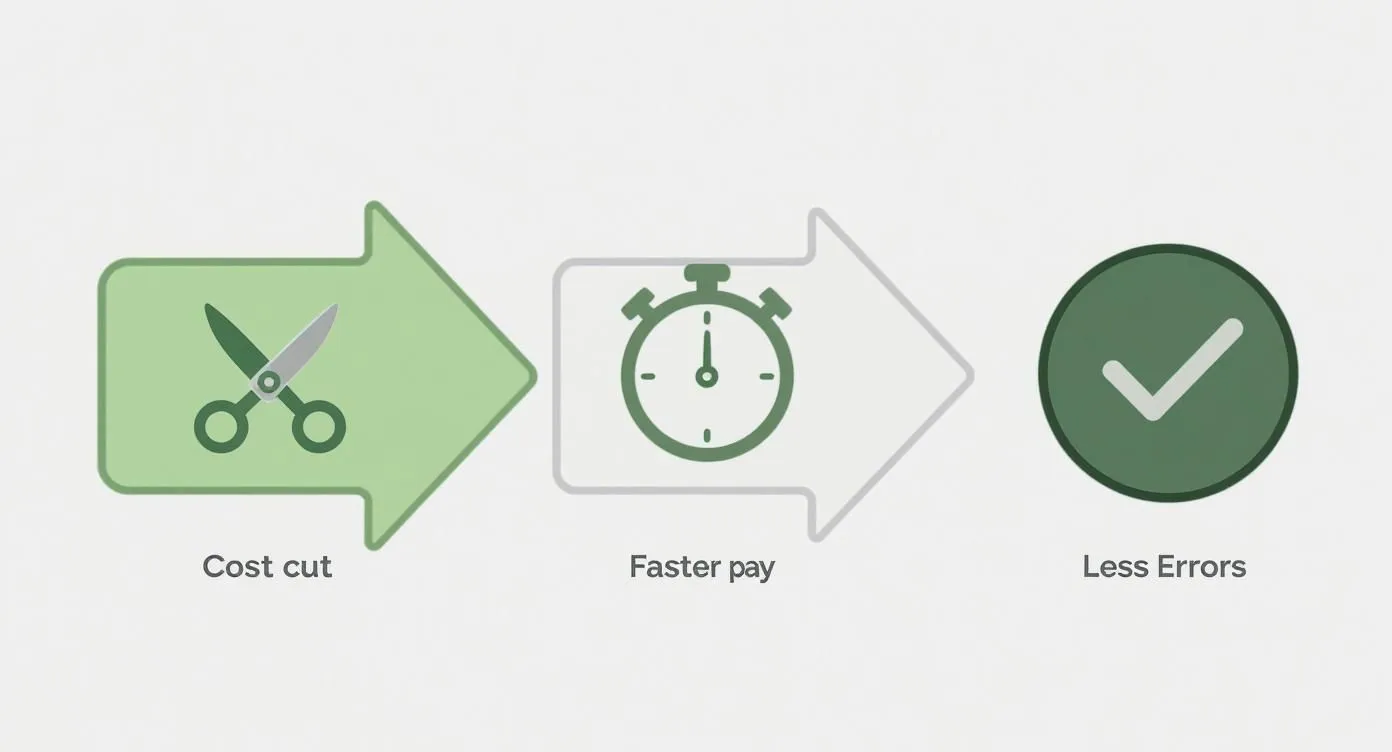
As you can see, it’s a clear path: cutting costs and speeding up payments directly lead to fewer operational headaches and a huge boost to staff productivity, creating a much more efficient restaurant overall.
A Practical Path to Adoption
The best part? You don’t need to rip out your existing hardware to make this happen. Modern solutions are built to play nice with the systems you already have. The goal is to find a platform that acts as a bridge, connecting your current POS to the world of digital receipts and integrated delivery.
This approach lets you modernize without the massive expense and disruption of a complete system overhaul. The global shift to QR code receipts has been huge, driven by both new rules and what customers now expect. By 2025, it’s estimated that over 41.77 million QR code scans will happen worldwide. This reflects a bigger trend toward the kind of digital convenience that customers and even governments are leaning into. You can discover more insights about this global shift toward QR codes to see just how widespread it’s become.
By choosing an integration-first solution, you avoid data headaches and get more out of your existing investments. It’s about adding powerful new capabilities, not starting from scratch. This makes the switch to a more efficient, digital-first operation both practical and affordable for any restaurant.
Your Takeaway
The secret to successfully rolling out QR code receipts is picking a system built for seamless POS integration. This approach brings all your sales data together, helps your staff be more productive, and cuts down on errors—all without forcing you to replace the tools your team already knows how to use.
Turning Receipts into a Powerful Marketing Tool
Think about it: for decades, the printed receipt was the final handshake, the end of the conversation. With a QR code, that transaction is just the beginning. This simple square transforms a proof-of-purchase into a direct line to your customer, turning what was once a sunken cost into a seriously effective marketing and feedback channel.
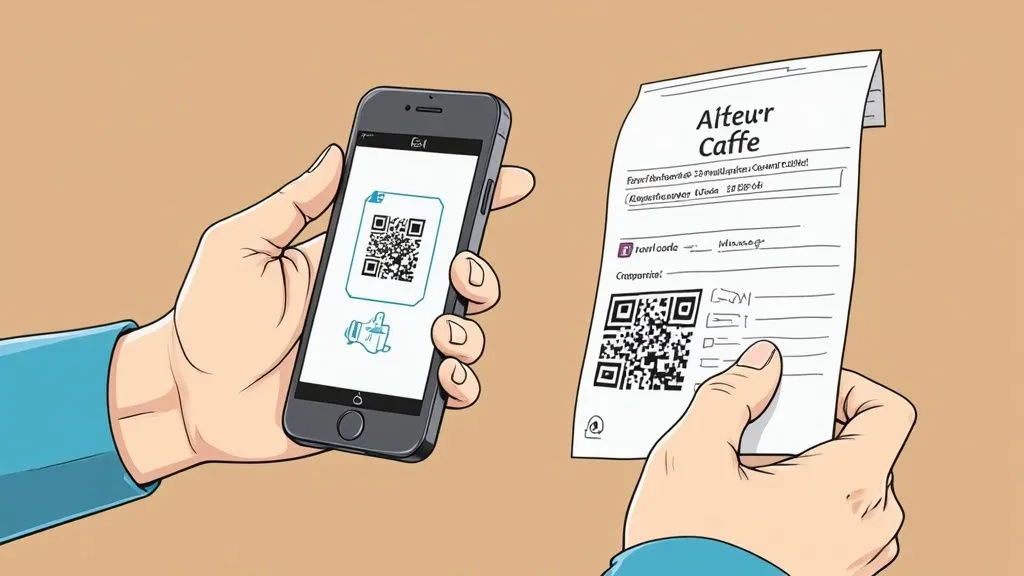
Why does it matter for your restaurant? Instead of getting crumpled up and forgotten, the receipt becomes an interactive touchpoint. Imagine a customer scanning their receipt and landing on a private feedback form. That simple step lets you catch any issues and make things right, long before they think about posting a negative review on Yelp or Google. This helps protect your online reputation and improves customer satisfaction.
Driving Repeat Business and Loyalty
Beyond just gathering feedback, a QR code on a receipt is a fantastic way to encourage repeat visits. You can embed offers directly into the code, giving customers a concrete reason to come back and see you again. It’s a direct link between today’s sale and tomorrow’s revenue.
Here are a few actionable ideas you can implement quickly:
- Instant Discounts: Offer 15% off their next meal or a free appetizer to get them back in the door soon.
- Loyalty Program Signup: Make joining your program completely painless. A quick scan can pre-fill their info, getting rid of the usual friction.
- Social Media Growth: Prompt customers to follow you on Instagram or Facebook with one tap, building your online community right from the table.
This isn’t just a restaurant thing, either. The fashion industry, for example, has embraced digital receipts in a big way. In 2023, the apparel sector saw a massive 71% adoption rate for digital receipts, largely because customers love the convenience and eco-friendly angle.
Measuring Your Success
The real magic here is that it’s all trackable. Unlike a generic coupon printed on a receipt, every single scan of a QR code receipt can be measured. You’ll know exactly how many customers engaged with your offer, what time of day they scanned it, and how many actually redeemed their discount.
This takes your marketing out of the realm of guesswork and turns it into a data-driven strategy. You get a clear, measurable return on investment, which lets you tweak your offers and learn what truly clicks with your customers.
For example, a local cafe could test two different offers—maybe a free pastry versus a BOGO coffee deal—on different days of the week. By tracking which QR code gets more scans and redemptions, they get immediate feedback. This kind of direct insight is crucial for building a solid restaurant marketing plan. You can dive deeper into this with our guide on creating an effective marketing plan for your restaurant.
Your Next Step
So, where do you start? Just pick one simple goal. Do you want more feedback, more loyalty signups, or more repeat business? Start there. A QR code on your receipt is the most direct, low-effort way to connect with a customer right after they’ve had a great experience with you—and that’s the perfect time to ask them to take that next step.
Best Practices for Secure QR Code Receipts
If you want customers to actually scan your QR code receipts, they have to trust them. A code that’s poorly designed or looks a bit sketchy creates friction and can even raise red flags. But when you get it right, a well-executed code builds confidence and gets people to engage. It all starts with being thoughtful about the design.
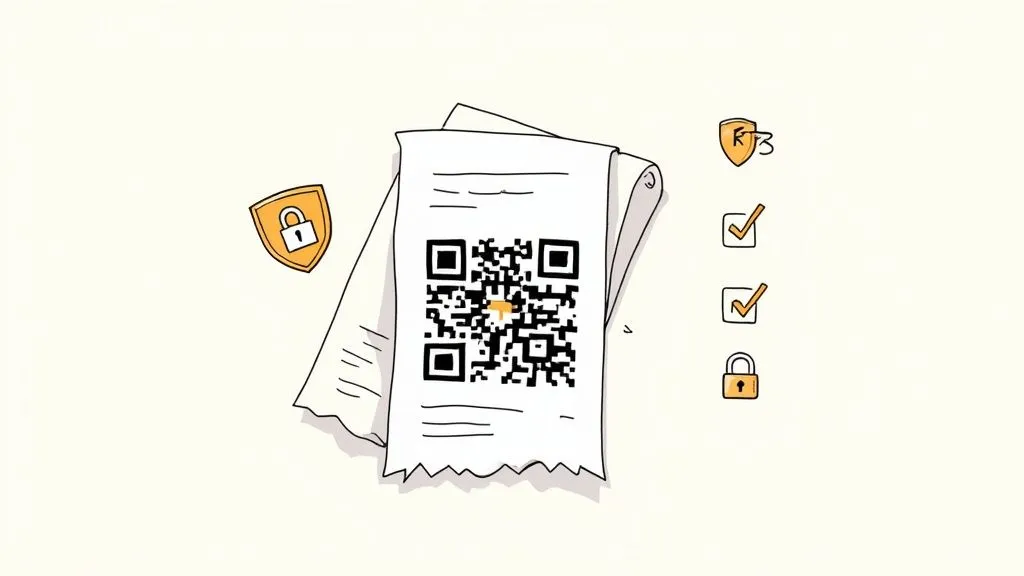
First, make the code impossible to miss. It needs to be big enough for someone to scan easily from a normal distance. A good rule of thumb is at least 1 x 1 inch. Then, put a clear call-to-action right next to it. Something like, “Scan for Your Receipt & a Special Offer” tells the customer exactly what to do and what’s in it for them. This simple step can make a huge difference in your scan rates.
Finally, make sure the destination feels like your restaurant. When a customer scans the code, the digital receipt page they land on should have your logo and brand colors. This reassures them they’re in the right place and creates a consistent, trustworthy experience from start to finish.
Protecting Your Customers from QR Code Scams
Security is just as critical as design. You’ve probably heard of phishing, where scammers use fake emails to steal information. Well, a similar threat called “quishing” (QR code phishing) exists for QR codes. This is when a bad actor puts a malicious code on top of a real one, sending an unsuspecting user to a fake website designed to capture their personal data.
While this is pretty rare in a restaurant receipt context, being proactive is the only way to maintain customer trust. The best defense is simply using the right technology from a trusted provider that knows the food tech space.
The foundation of a secure QR code receipt is trust. By using encrypted links and dynamic codes from a reputable service, you signal to your customers that their data security is a top priority for your restaurant operations.
On the technical side, your QR codes should always point to an encrypted web address. You can tell by looking at the URL—it should start with HTTPS, not just HTTP. That ‘S’ stands for secure, and it means the connection between their phone and your digital receipt is protected.
It’s also a smart move to use dynamic QR codes. In simple terms, these are codes that can be updated or even deactivated from a central dashboard. Unlike a static code which is permanent, a dynamic one gives you complete control, ensuring that an old or potentially compromised code can’t be misused. This is the kind of security and control you should expect from any modern POS integration.
A Practical Next Step
Take a quick look at your current receipt. Is the QR code easy to spot? Does it tell customers why they should scan it? And most importantly, does it link to a secure, branded page? Nailing these three things is a simple but incredibly powerful way to improve both the performance and security of your QR code receipt system.
Getting Started With QR Code Receipts
So, you’re ready to bring QR code receipts into your restaurant. Let’s walk through exactly how to make that happen. Think of this less as a daunting tech project and more as a smart, practical upgrade to your business operations.
Getting started is all about picking the right tool for the job—one that makes the entire process feel effortless.
Choosing the Right Integration Partner
The last thing you want is a solution that forces you to rip out the systems you already use. That’s why platforms like OrderOut are built to play nicely with the most common restaurant POS systems, including major players like Clover and Square.
This integration-first approach takes the technical guesswork out of the equation. It simply lets your existing systems talk to each other, ensuring every single order—whether from a guest at a table or a third-party delivery app—flows through the same, simple process.
The real secret is finding a system that complements what you’ve already built. You want to add powerful new features without disrupting the tools and workflows your team already knows and trusts.
A unified dashboard, like the one from OrderOut pictured below, is a game-changer. It gives you a single screen to see and manage everything coming in.
Having one place to look is crucial for efficient restaurant operations. It’s how you spot trends, track performance, and ultimately make better business decisions.
Start with a Simple Onboarding Process
The best way to know if something works is to try it yourself. Look for a system that offers a free start, so you can see the value firsthand without any risk.
The setup should be quick and painless, letting you connect your POS and delivery apps in just a few clicks. If you want to see exactly how it works, our OrderOut integration onboarding tutorial breaks it all down step-by-step.
This gives you a chance to test the entire workflow. You can see how the QR code receipt looks in person and make sure it fits smoothly into your daily grind before you commit to anything.
Takeaway: Your Practical Next Step
The easiest way to start is by choosing an integration partner that works with your current POS. This allows you to test QR code receipts without overhauling your entire system. You can begin saving money, reducing errors, and improving staff productivity almost immediately.
Answering Your Top Questions
Getting started with QR code receipts can bring up a few questions. Let’s tackle some of the most common ones we hear from restaurant owners.
Do I Need a Whole New POS System for This?
Nope, you most likely don’t. The best modern food tech is designed to play nice with the systems restaurants already use and trust.
Think of it like an add-on. Integration services can plug right into major POS platforms like Clover and Square, giving them new capabilities. This means you can upgrade your restaurant operations without the headache and expense of ripping out your entire setup and retraining your staff.
Are These QR Code Receipts Actually Secure for My Customers?
Absolutely, as long as you do it right. The key is to partner with a reputable provider that creates secure, one-time-use QR codes. From a technical standpoint, these codes should always send customers to an encrypted webpage—you can spot this by the “HTTPS” in the URL.
A simple but powerful tip: make sure your digital receipt page features your restaurant’s logo. This gives customers immediate peace of mind, confirming they’ve landed in the right place and that the link is legit. It’s a small detail that goes a long way in building trust.
What’s the Real Cost to Get Started With QR Receipts?
It really varies, but it’s more affordable than you might think. Many platforms offer flexible subscription plans, and some even have free options to get you started. When you’re looking at the price, don’t forget to account for what you’ll stop spending on paper, ink, and printer repairs.
But the true value isn’t just in the cost savings. The efficiency boost for staff, error reduction, and the direct line to your customers for marketing and feedback are where the real ROI is. A QR code receipt system often pays for itself many times over. If you want to dive deeper into the basics, you can find general information about QR codes and how they power these systems.
Ready to bring your restaurant’s receipts into the modern age, improve efficiency, and open up powerful new marketing channels? With OrderOut, you can seamlessly add QR code receipts to the POS system you already have.