
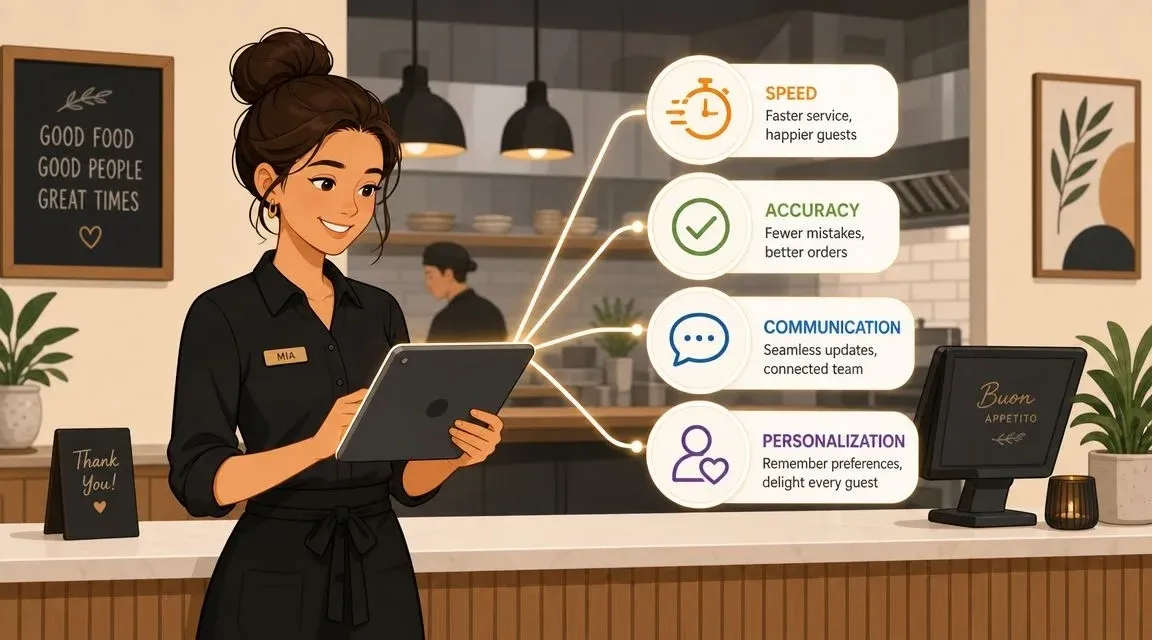
Most advice about guest service in restaurant still starts with smiles, eye contact, and checking back at the right time. That matters. It’s just no longer enough.
A guest can now meet your restaurant through a host stand, your own online ordering page, Uber Eats, DoorDash, a pickup shelf, a QR menu, and a server carrying a handheld device. If those touchpoints don’t agree with each other, friendliness won’t rescue the experience. A warm greeting can’t fix a missing modifier, a late handoff, or a delivery order that never made it into the kitchen.
The operators who outperform on service usually understand one thing early. Operational excellence is guest service now. The dining room and the tech stack are no longer separate conversations.
What Is Guest Service in a Restaurant Today?
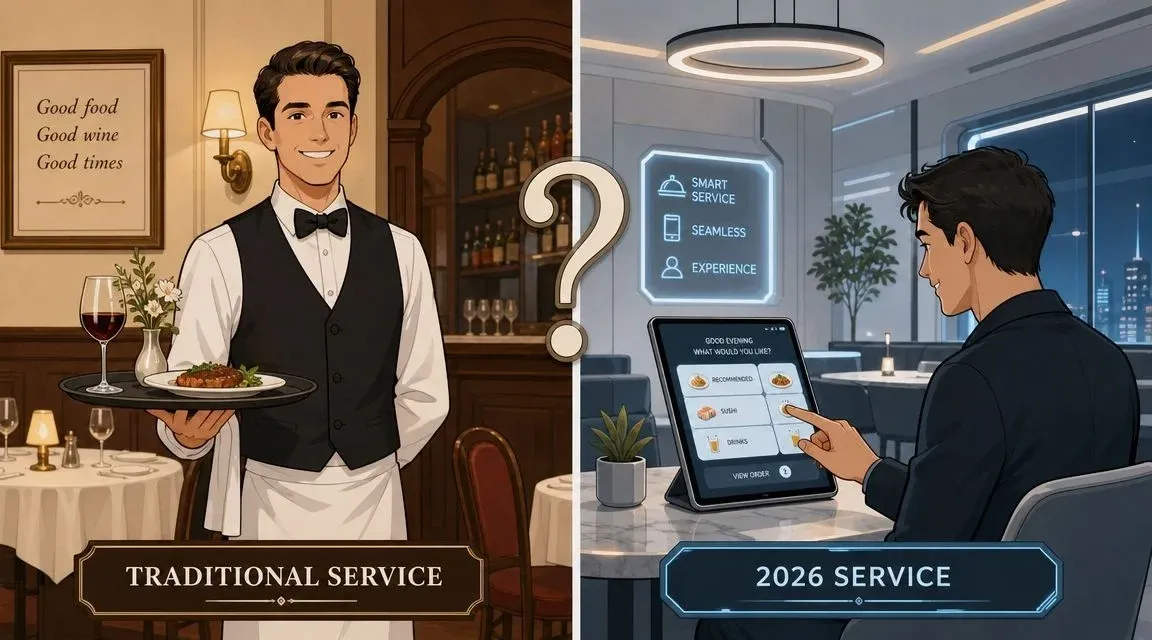
Guest service in restaurant used to be defined mostly by front-of-house behavior. Was the greeting warm? Did the server know the menu? Was the table checked at the right time?
That definition is outdated.
Today, guests judge service by how reliably your restaurant moves their order from request to fulfillment across every channel. In a 2025 survey summarized by Restroworks, 48% of diners said speed was their top decision factor when choosing where to eat, 69% considered real-time order updates essential, and 65% expected clear communication from staff about orders and delivery. That’s a service standard built around timing, visibility, and follow-through.
Why the old definition breaks down
A guest might dine in, then reorder from home two days later. Another might call about an allergy, place the order through an app, and send someone else to pick it up. A third might sit in your dining room while your expo line is buried in delivery tickets.
In all three cases, the guest doesn’t care which team caused the problem. They only see one restaurant.
That’s why service has to be managed as a system. Your host, servers, kitchen, expeditor, pickup area, and ordering channels all contribute to the same guest impression. If your team still treats service as only a dining room skill, the operation will keep leaking trust.
Guest service now includes the handoff between people and software, not just the interaction between staff and diners.
What modern service looks like on the floor
In practice, strong guest service in restaurant means a few things happen consistently:
- Orders move cleanly: Modifiers, allergies, and add-ons reach the kitchen exactly as entered.
- Timing is visible: Staff can tell guests where the order stands without guessing.
- Channels stay aligned: Dine-in, pickup, and restaurant delivery orders don’t compete blindly.
- Recovery is fast: When something goes wrong, the team responds clearly and immediately.
Restaurants that already think carefully about step of service standards have an advantage. But those standards need an update. The modern version doesn’t stop at greeting scripts and table touches. It has to include app orders, kitchen routing, pickup flow, and communication rules when demand spikes.
The Four Pillars of Modern Restaurant Guest Service
A useful service standard has to be simple enough to coach and strict enough to measure. For most operators, four pillars cover what matters most in a hybrid service model.
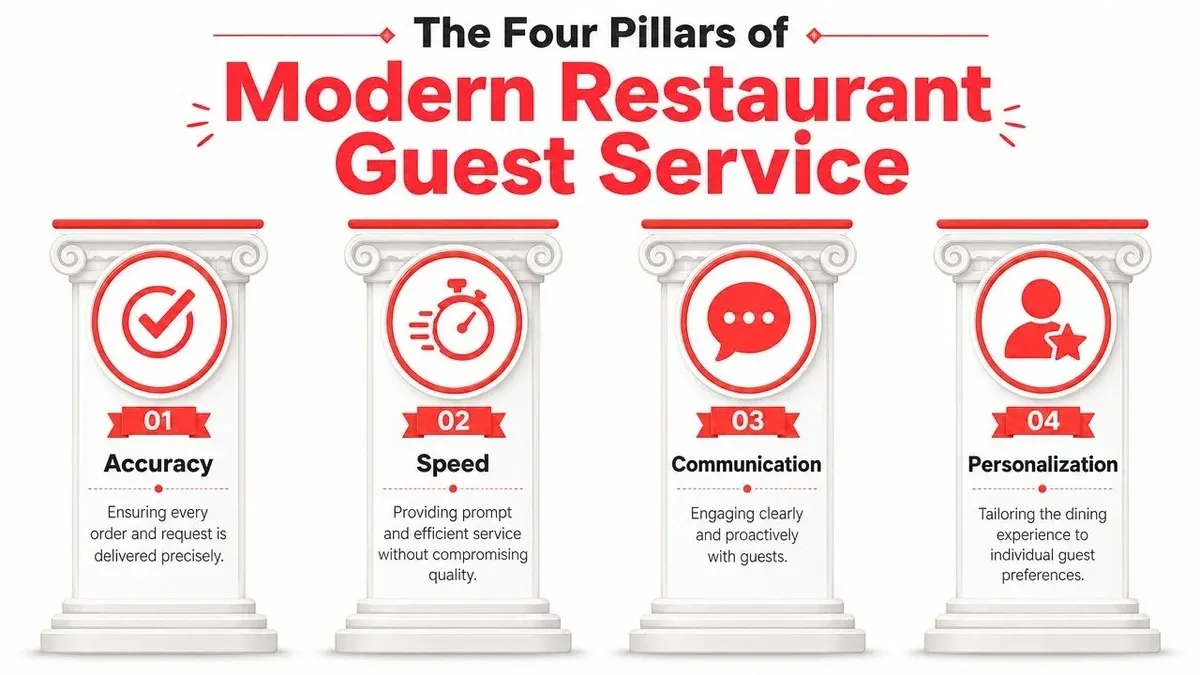
Accuracy
Accuracy starts before the plate leaves the pass. It includes item selection, modifiers, allergy notes, packaging, naming, and handoff.
A lot of teams define accuracy too narrowly. They ask whether the kitchen cooked the right entrée. The better question is whether the guest received exactly what they believed they ordered, through the channel they used. If a DoorDash order includes “no onions, sauce on side, extra napkins,” and one part disappears during entry, that’s a service failure before food quality even enters the conversation.
What works:
- Single source of order truth: One accepted order format from all channels
- Bag check routines: Especially for takeout and restaurant delivery
- Modifier discipline: No free-text chaos unless someone owns the verification step
What doesn’t work:
- Re-entering app orders by hand during a rush
- Letting different employees abbreviate modifiers differently
- Treating packaging as separate from guest service
Speed
Speed doesn’t mean rushing guests. It means removing dead time.
In a dining room, that might mean faster drink entry and cleaner coursing. In off-premise, it often means fast acceptance, immediate kitchen routing, and fewer pauses between prep, expo, and pickup. A guest will forgive a complex dish taking time. They usually won’t forgive waiting because the order sat on a tablet, under a printer, or in someone’s apron pocket.
The point isn’t to pressure staff into frantic movement. The point is to design flow so staff don’t waste steps.
Communication
Communication is where many restaurants lose trust. Staff often know there’s a delay, a stock issue, or a driver problem, but they wait too long to say it.
Good communication is proactive. It tells the guest what changed, what’s being done, and what to expect next. That applies equally to a table asking about an entrée and a pickup customer waiting on a delayed app order.
Practical rule: If the guest has time to wonder what’s happening, your team is already late on communication.
Personalization
Personalization is not a scripted “welcome back” if the rest of the operation is sloppy. It’s using the information you already have to reduce friction.
That can be as simple as noting dietary restrictions, remembering a frequent pickup customer’s preference, or recognizing that lunch demand from nearby offices hits differently than weekend family traffic. The point is relevance, not theatrics.
A restaurant doesn’t need luxury-level service language to personalize well. It needs clean records, consistent notes, and staff who can act on them.
Measuring What Matters Guest Service KPIs for Restaurant Operations
Restaurants get into trouble when service is judged only by instinct. One manager says the shift felt smooth. Another says guests looked frustrated. Neither view is enough to manage performance.
The more durable approach is to treat service as a workflow you can monitor. Fishbowl’s guidance on restaurant customer service KPIs recommends tracking measures like Net Promoter Score, Customer Satisfaction, average complaint response time, table turn times, and repeat-customer rate, then using feedback loops to fix recurring service failures. That’s the right mindset because it ties service directly to throughput and retention.
The KPI view operators actually need
You don’t need a giant dashboard filled with vanity metrics. You need a short list that tells you where the guest experience breaks.
KPI What It Measures How to Track It Net Promoter Score Guest willingness to recommend your restaurant Post-visit survey, loyalty email, or SMS feedback tool Customer Satisfaction How guests rate the immediate experience Receipt survey, online ordering survey, review request follow-up Average complaint response time How fast your team acknowledges and handles issues Manager log, CRM, inbox timestamps, platform support records Table turn time How efficiently dine-in service moves without bottlenecks POS timestamps, seating reports, reservation data Repeat-customer rate Whether service quality drives guests back Loyalty platform, CRM, online ordering history, POS customer records
What each KPI reveals
Complaint response time is one of the most useful signals because it exposes operational discipline. A delayed response usually means no one owns guest recovery, or the team doesn’t have a clear escalation rule.
Table turn time matters because poor pacing hurts both service and revenue density. If tables sit uncleared, orders fire late, or payment lingers, guests feel ignored and the room produces less.
Repeat-customer rate is the test that matters most over time. A restaurant can survive the occasional weak review. It’s harder to survive when guests decide not to return.
Use reviews as a pattern detector
Raw reviews can mislead if you read them one by one. The better use is to categorize them. Look for repeat mentions of wait time, missing items, staff responsiveness, and order confusion by shift or channel. If you want a cleaner way to collect more consistent feedback, Review Overhaul’s review generation services are relevant because they help operators prompt more guest responses instead of relying only on whoever happens to leave a public review.
A review problem is often a process problem wearing emotional language.
Managers who want a tighter framework for reporting can also borrow ideas from this guide to restaurant KPI tracking. The important part isn’t the template. It’s the discipline of reviewing the same service signals every week and acting on what repeats.
Keep the loop short
The best KPI process is simple:
- Track the issue: Use POS data, ordering data, and guest feedback.
- Spot repeats: Find the same failure by shift, station, or channel.
- Change one behavior: Adjust staffing, routing, scripts, or prep flow.
- Review again: Confirm whether the issue dropped.
That loop is what turns service from a vague goal into a controllable operating function.
Building Your Guest Service Playbook with Staff Training and SOPs
Most service training still overemphasizes charm and undertrains coordination. Staff learn how to greet a table, but not how to handle an order that starts in a third-party app, gets modified by phone, and is picked up by a driver who arrives early.
That gap matters because hybrid service isn’t a side channel anymore. According to guidance summarized by KnowApp, many guest service conversations still focus on in-room politeness while missing the harder issue of maintaining quality when orders and timing are managed across digital menus and third-party apps at the same time. The core problem is coordination, order accuracy, and communication across channels, not just front-of-house behavior.
What a useful SOP actually does
A standard operating procedure should remove guesswork during busy periods. If a rule only works when the shift is calm, it isn’t a real SOP.
Strong service SOPs usually answer three questions:
- Who owns the step: host, server, cashier, expo, manager
- What triggers the action: new ticket, delayed driver, allergy note, guest complaint
- What the response must include: verification, script, handoff, documentation
SOPs worth writing first
Start with the moments that create the most avoidable friction.
Online order modification check
When an online order includes substitutions or allergy notes, someone must confirm the change appears exactly as intended before the ticket reaches production.
Takeout bag verification
Before sealing a bag, staff should match items, modifiers, utensils, condiments, and guest name against the final ticket.
Driver delay response
If a third-party driver is late, the team should know whether to hold, refire, or communicate updated timing to the guest and platform.
Phone order repeat-back
Staff should repeat every item, modifier, and pickup time before ending the call. This is basic, but it prevents a surprising amount of confusion.
Train for moments, not lectures
Long classroom sessions rarely hold up in restaurant operations. Teams need short drills tied to real scenarios. Run five-minute pre-shift refreshers. Use yesterday’s actual mistakes. Practice the exact phrases staff should use when timing changes or an item is unavailable.
A modern server role also needs updating. This restaurant server job description guide is a useful reference because it helps operators define responsibilities beyond table touches, including coordination and communication.
If your SOP can’t be explained in under a minute on the floor, it’s probably too vague or too complicated.
The goal isn’t robotic service. It’s reliable service under pressure. Scripts should support judgment, not replace it.
Upgrade Guest Service with POS Integration and Food Tech
The fastest way to damage guest service is to make employees bridge disconnected systems by hand.
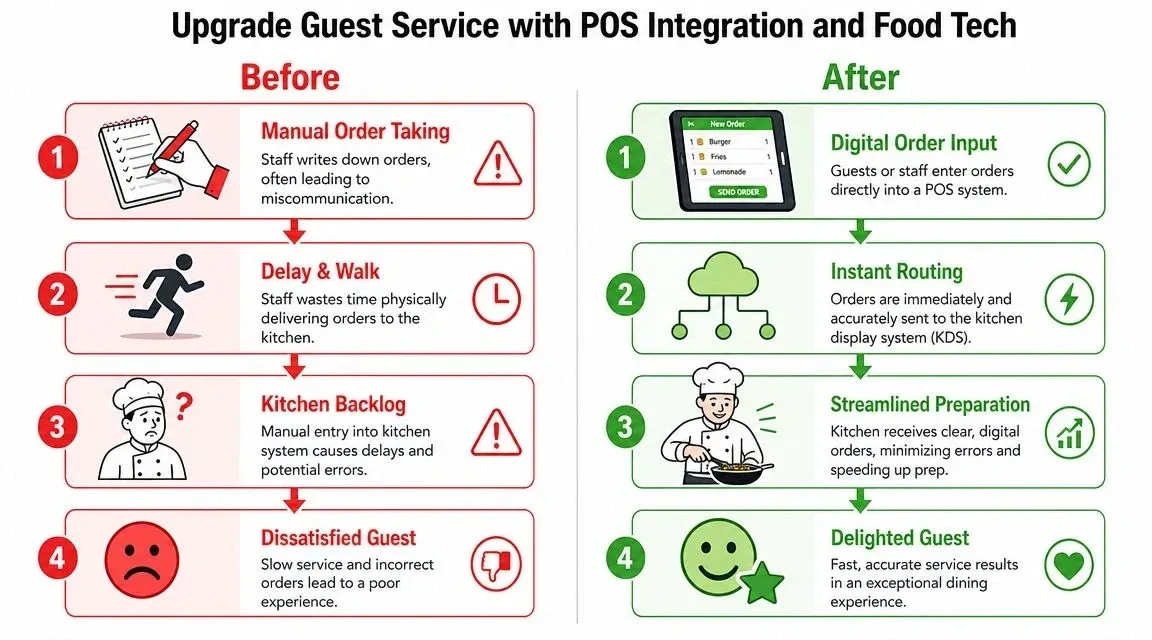
When restaurants run Uber Eats, DoorDash, and other channels on separate tablets with manual POS entry, staff become data-entry clerks at the exact moment they need to be serving guests. A cashier accepts an order on one screen, retypes it into the POS, clarifies a modifier with the kitchen, and then answers a dine-in question halfway through the process. That’s where errors multiply.
Why POS integration changes service quality
In plain terms, POS integration means the order enters once and flows where it needs to go automatically. Staff don’t have to keep copying the same information across tools.
The technical payoff is bigger than convenience. Supy’s guidance on using customer data in restaurants recommends unifying guest data across POS, CRM, and online ordering systems so service becomes more predictive than reactive. That matters because disconnected systems don’t just slow down orders. They also hide guest preferences, fracture order history, and make staffing decisions more guess-based than data-based.
What this looks like in real operations
Take a common scenario. A guest places a Square Online order for pickup with extra sauce, no cheese, and a note about a dietary restriction. If staff still have to re-enter that order manually, every extra touch creates risk.
With integration, the order routes directly into the POS and kitchen workflow with the details intact. The kitchen sees the same modifiers the guest submitted. The front counter sees the same name and fulfillment method. The team spends time preparing and verifying, not copying.
If you use Square with an ordering integration, the operational win is straightforward. Fewer manual handoffs usually mean fewer avoidable mistakes. The same logic applies on Clover with delivery app integration, where the value comes from reducing duplicate entry and keeping the ticket flow organized.
Food tech that helps and food tech that adds friction
Not every tool improves service. Some tools only add another screen.
Useful food tech tends to do one or more of these jobs well:
- Routes orders automatically: No retyping from third-party tablets
- Keeps menus aligned: Fewer mismatches between channels
- Consolidates order visibility: Staff can see what’s waiting, firing, or delayed
- Preserves guest context: Preferences and prior issues stay tied to the guest record
Less useful tools often create alerts without action, reports without ownership, or dashboards that nobody checks during service.
For operators thinking beyond POS alone, tools that improve restaurant efficiency can also support service when they reduce repetitive communication work and help staff focus on production and guest interaction.
One practical example from the floor
A lunch rush hits. Dine-in is active, pickup shelves are filling, and two delivery marketplaces are sending orders at the same time. In a non-integrated setup, someone has to watch every tablet, accept every order, key each one into the POS, and hope the modifiers survive the transfer.
In an integrated setup, the order appears in the POS and kitchen flow automatically. Expo can prioritize, front-of-house can answer status questions with more confidence, and managers can spend their time solving exceptions instead of supervising manual entry.
That’s the shift. Better guest service in restaurant often comes less from asking staff to work harder and more from removing work that shouldn’t exist.
For teams evaluating systems, this guide to what POS means in restaurant operations is a good starting point because it frames the POS as the operating center, not just a payment tool. OrderOut fits into that conversation as one integration option that connects delivery apps directly into restaurant POS systems, helping orders move into a single workflow instead of being re-entered by hand.
The Future of Your Restaurant Runs on Integrated Service
The old model treated hospitality and operations as separate disciplines. One team handled warmth. Another handled systems. That split doesn’t work anymore.
Modern guest service in restaurant depends on whether the whole business can deliver a consistent experience across dine-in, pickup, and restaurant delivery. That means cleaner routing, tighter communication, sharper SOPs, and technology that reduces human rework instead of creating more of it.
Where operators should focus next
If you want to improve service without wasting effort, start with the friction guests feel but rarely describe precisely:
- Delayed order visibility
- Missing or altered modifiers
- Slow issue resolution
- Confusion between channels
- Staff time lost to duplicate entry
These are service problems. They’re also profit problems.
Restaurants that invest in integrated workflows usually give managers more control over timing, give staff more room to focus on guests, and give kitchens clearer information. If you’re reviewing your stack, this overview of cloud-based restaurant software is a practical place to compare what should live in one connected operating environment.
The main takeaway is simple. Friendliness still matters. But the restaurants that stand out now are the ones that make service feel effortless because the operation underneath it is disciplined, connected, and visible.
If you want a low-friction way to start improving order flow, reduce manual entry, and support better guest service across delivery and pickup, you can start onboarding with OrderOut for free in a few clicks.